
← Website Solutions
Automatic Product Updates
Keep stock, cost, and selling prices current
Map vendor files once, test the results, then run imports on a schedule. Choose which product and warehouse fields each feed is allowed to update.
What you can do
Automatic Product Updates in practice
Map the data you need
Import supported CSV or text feeds with saved column and warehouse mappings. Update configured cost, stock, or price fields.
Keep control of pricing and stock
Set cost-based pricing rules and a minimum base selling price. Exclude individual SKUs from automatic selling price or stock updates where needed.
Test and monitor imports
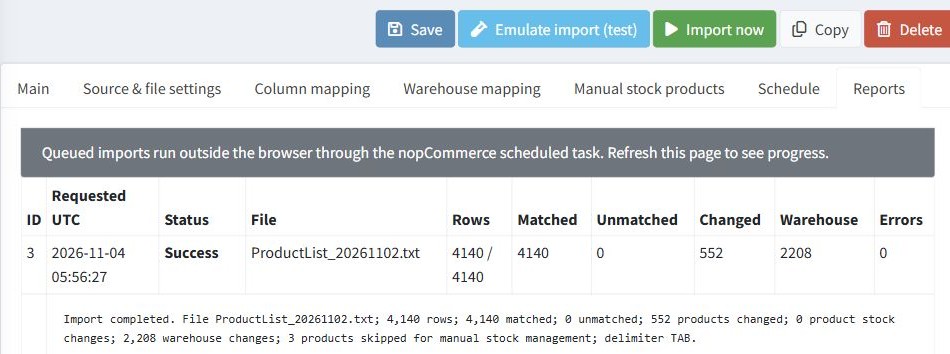
Emulate an import before it writes changes. Review matched rows, warnings, and changes in the reports, then use the scheduled background worker for repeat imports.