Managed nopCommerce websites for real business workflows

Sell more with a managed ecommerce website built to move.

B2B ordering. One Page Checkout. Find compatible ink & toner.

Launch a professionally configured nopCommerce storefront with faster checkout, Stripe and PayPal payments, advanced quotes, sales rep tools, and connected product data—implemented and supported by eStoreware.

✓ Managed setup & support ✓ In-house business plugins ✓ Flexible vendor integrations
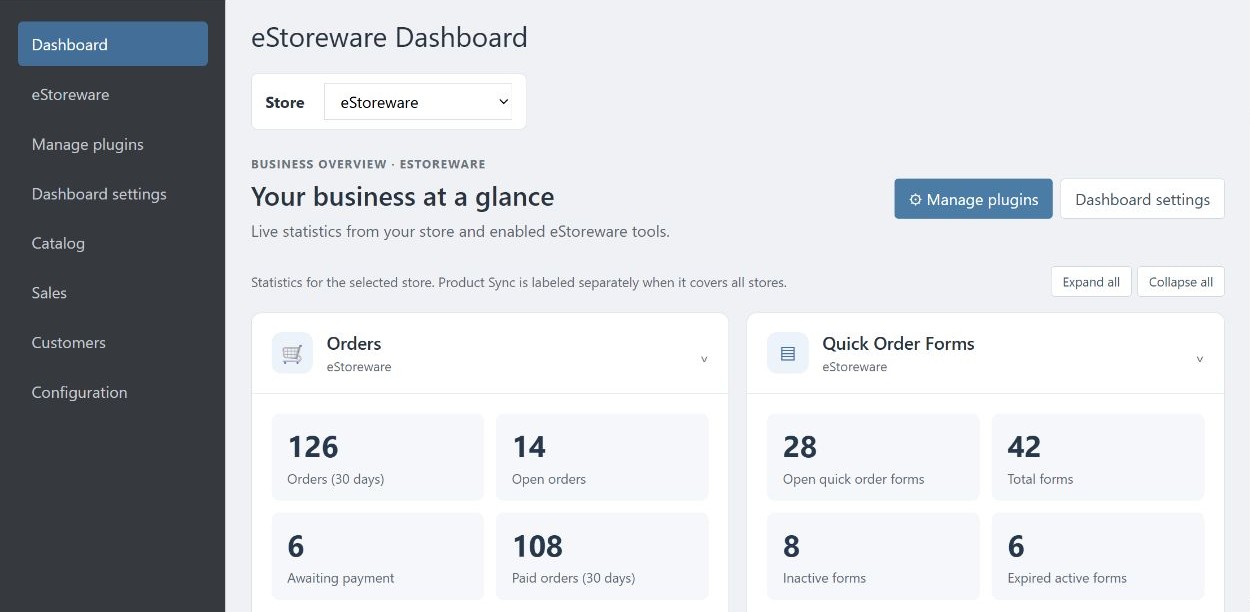
nopCommerce · eStoreware Core Dashboard
eStoreware Core Dashboard preview with sample order and quick order summaries
Store operationsOrders at a glance
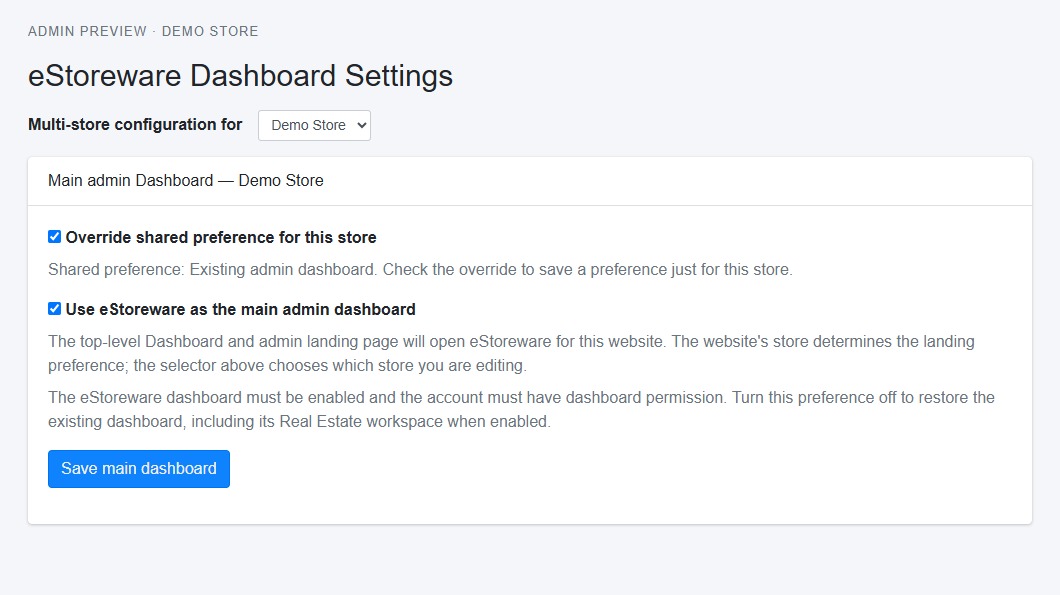
Dashboard SettingsChoose your admin landing page

One connected nopCommerce website solution for

ONE PAGE CHECKOUTQUICK ORDER ADVANCED QUOTESSTRIPE & PAYPAL PRODUCT SYNCSALES REPS VENDOR INTEGRATIONS

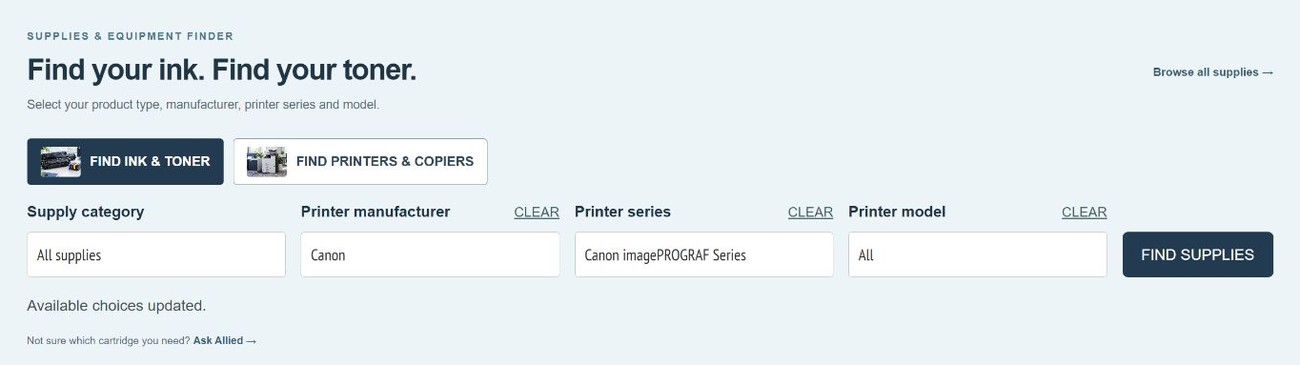
Printer & Copier Compatibility Finder

Help shoppers find compatible ink, toner, and other supplies for the printer or copier they already own.

Explore the Compatibility Finder

Shopping for a new machine? Explore Printer & Copier Finder to narrow the equipment catalog by type, brand, and specifications.

Allied Systems compatibility search with ink and toner, manufacturer, series, and model options
Shoppers can search for supplies or switch to the equipment finder on the Allied Systems storefront.

One page. Fewer interruptions. A faster path to purchase.

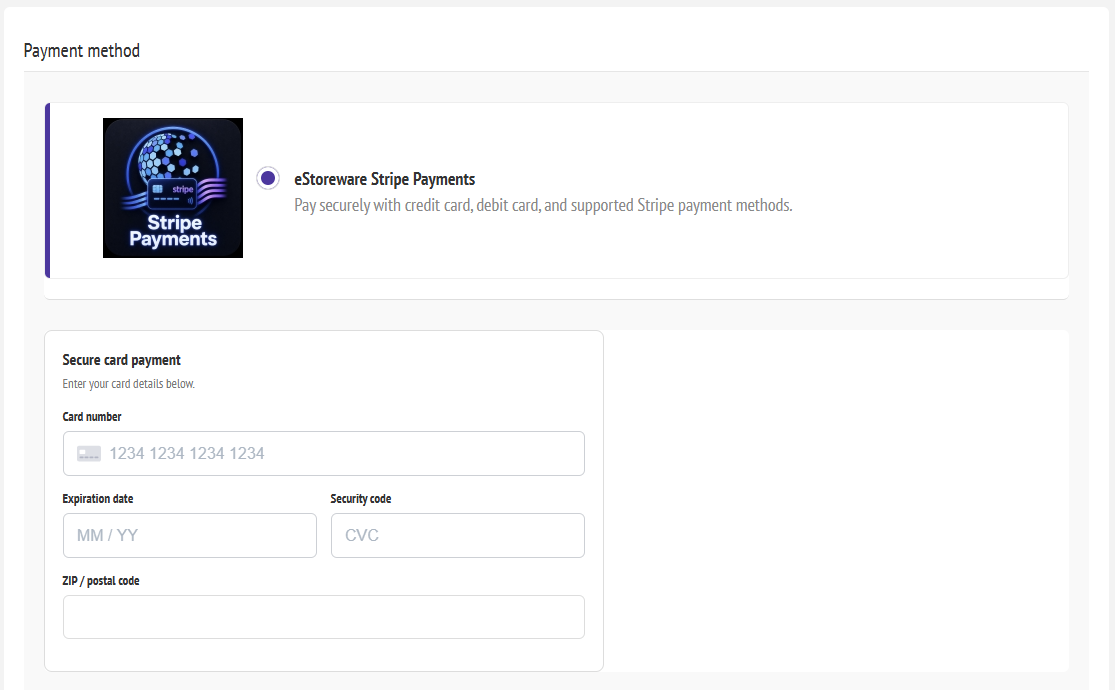
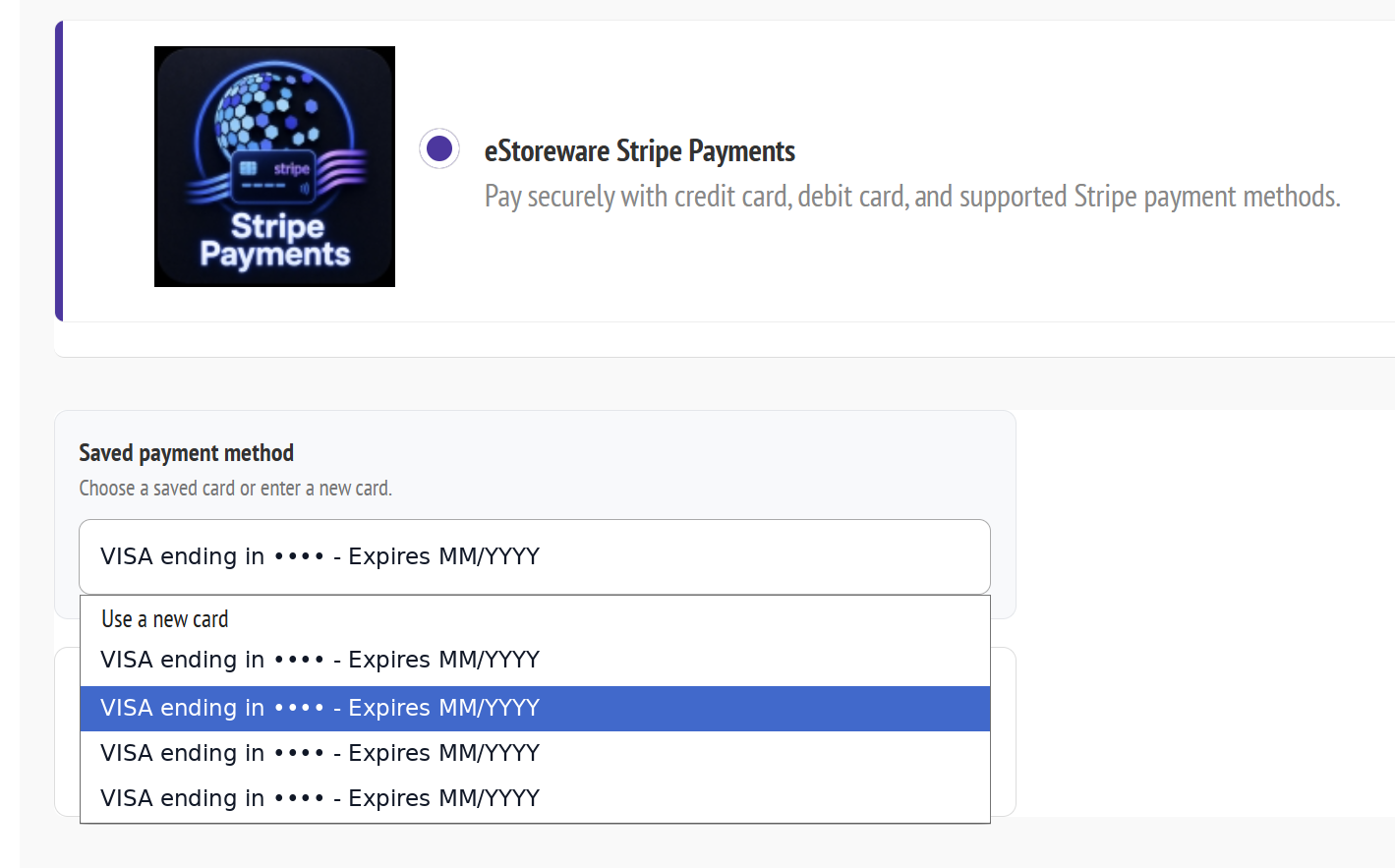
Keep billing, shipping, delivery, payment, and order review in one focused checkout experience. Returning buyers can select a saved Stripe payment method without entering their card again.

01One Page CheckoutKeep the full purchase flow together.
02Saved payment methodsHelp repeat customers check out faster.
033D Secure supportAuthenticate when the card issuer requires it.
Explore checkout & payments →
secure checkout · payment
Embedded Stripe payment fields within checkout
Returning customerSaved card selected ✓
Authentication3D Secure ready

Make eStoreware your main admin dashboard

Start with order and plugin summaries when you open nopCommerce admin. In Dashboard Settings, choose eStoreware as the main dashboard for your store. The setting works for users with dashboard access.

Explore Core Dashboard →
View the Core Dashboard preview at full size
Core Dashboard overview. Orders and enabled plugin summaries, shown with sample data.
View the Main admin Dashboard setting at full size
Main admin Dashboard. The setting that makes eStoreware the admin landing page for this store. Shown in a preview.
01

Sales & orders

Track activity and keep fulfillment moving.

02

Quotes & sales reps

Manage pricing, approvals, assignments, and commissions.

03

Payments & renewals

Review payment activity and recurring billing workflows.

04

Products & integrations

Monitor catalogs, vendor feeds, inventory, and automation.

From first visit to repeat order, every step works together.

Start with a managed nopCommerce website implementation or add selected eStoreware plugins and integrations to an existing nopCommerce store.

01

Give every customer a faster way to buy.

Use the eStoreware Quick Order Forms plugin for nopCommerce to create customer-specific forms, share by QR code, and let repeat buyers order from a focused product list.

  • ✓ Customer-specific forms
  • ✓ QR, print, and share
  • ✓ Desktop Snap shortcuts
Explore B2B ordering →
Quick Order Forms inside a customer account
02

Turn custom pricing into a clean sales workflow.

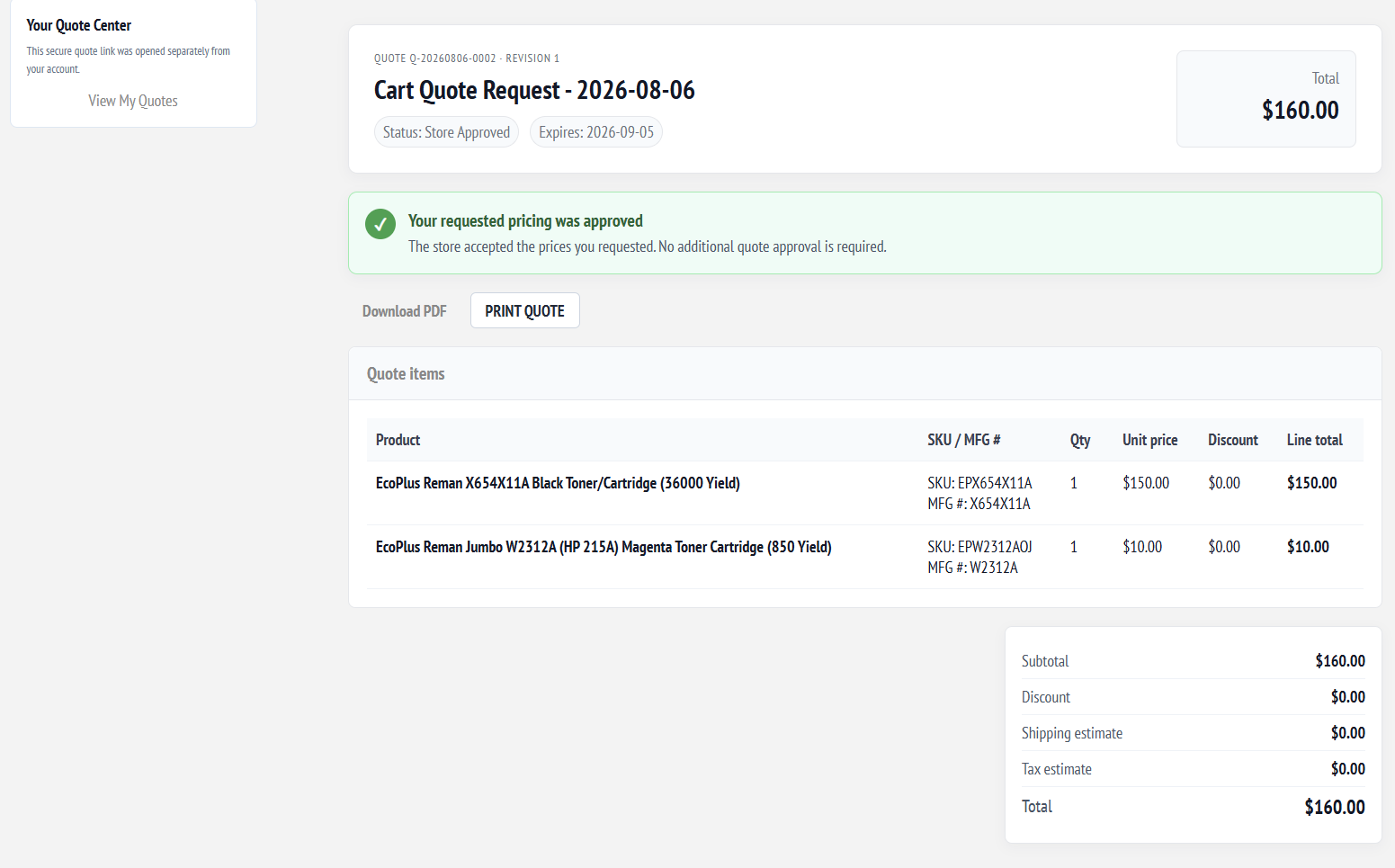
Use the eStoreware Advanced Quotes plugin for nopCommerce to build detailed quotes, manage requested pricing, share secure links, and move customers from discussion to order.

  • ✓ Secure customer links
  • ✓ Item-level pricing
  • ✓ Quote-to-order workflow
Explore advanced quotes →
Advanced Quotes customer view with approved pricing, itemized costs, and a quote total
03

Make repeat checkout feel effortless—and secure.

Add Stripe payments to nopCommerce, reuse saved payment methods, support 3D Secure, and manage recurring billing with the eStoreware Stripe Payments plugin.

  • ✓ Saved cards at checkout
  • ✓ 3D Secure / SCA
  • ✓ Recurring billing tools
Explore Stripe payments →

Saved Stripe payment method selection at checkout

Connect the suppliers your business already depends on.

Connect vendor catalogs, costs, availability, inventory, images, and order workflows to your nopCommerce website through eStoreware integration services.

Request a vendor integration →

Built on nopCommerce. Implemented and supported by eStoreware.

nopCommerce provides the open-source ecommerce software foundation. eStoreware LLC is an independent provider of nopCommerce implementation, hosting, configuration, design assistance, plugins, integrations, training, and ongoing support.

eStoreware is not affiliated with or endorsed by the nopCommerce team. nopCommerce is licensed under the nopCommerce Public License.

Let’s build and support a nopCommerce website that works the way your business does.