
Rep profiles
Store representative details, photos, rep codes, and access.
eStoreware for nopCommerce • Sales Rep Tools
The eStoreware Sales Reps plugin extends nopCommerce with representative profiles, customer assignments, referral codes, order attribution, commission reporting, payout batches, exports, diagnostics, and controlled representative access.
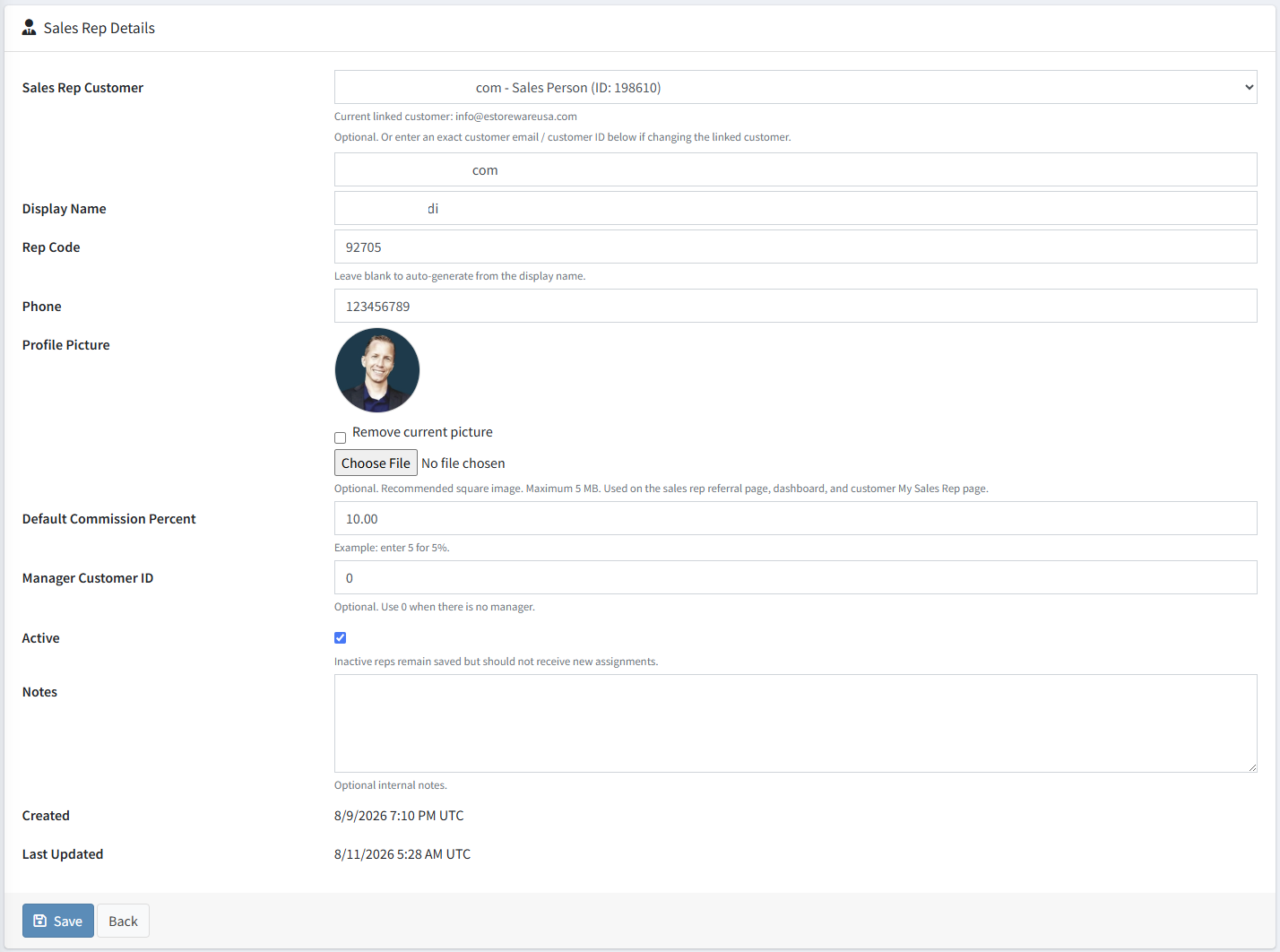
Store representative details, photos, rep codes, and access.
Connect accounts to reps manually or by code.
Preserve rep ownership on assigned-customer orders.
Approve, recalculate, adjust, and lock records.
Create payout batches with references and exports.
Give reps controlled visibility without admin access.
Representative profiles
Profiles preserve contact details, rep codes, profile photos, active status, default commission settings, and the customer login connected to the rep.
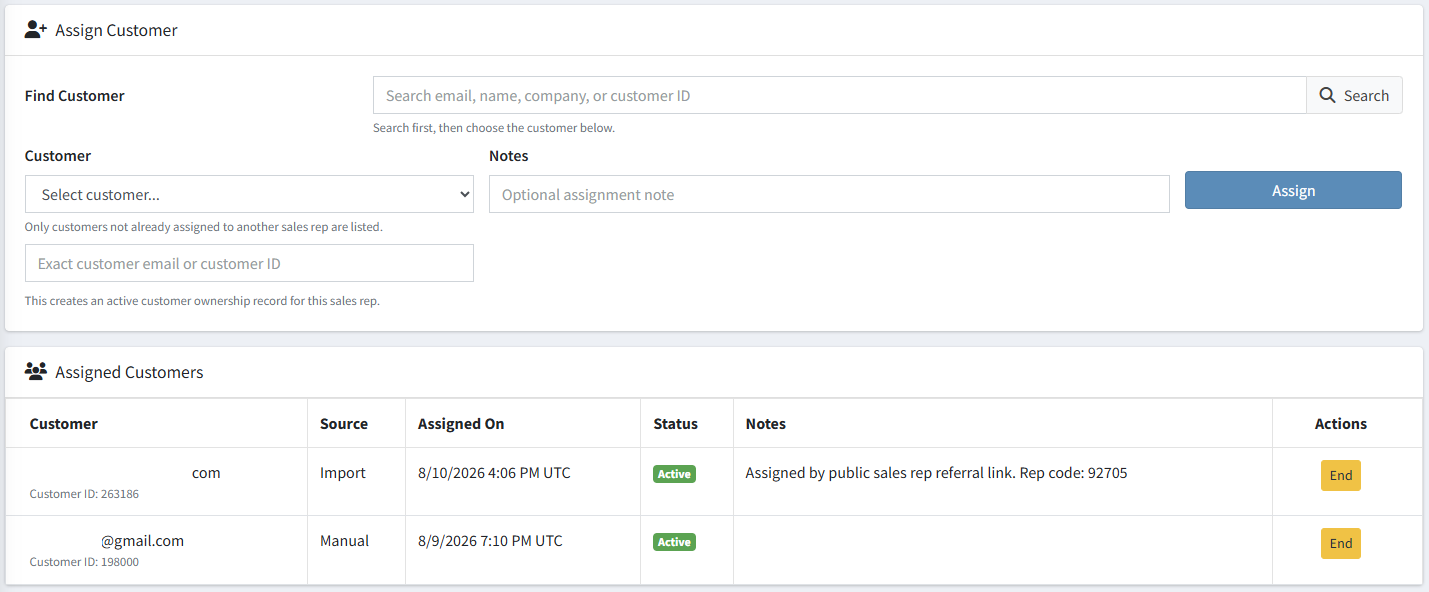
Customer assignments
Assignments identify account ownership and direct order attribution, follow-up, reporting, and payout review.
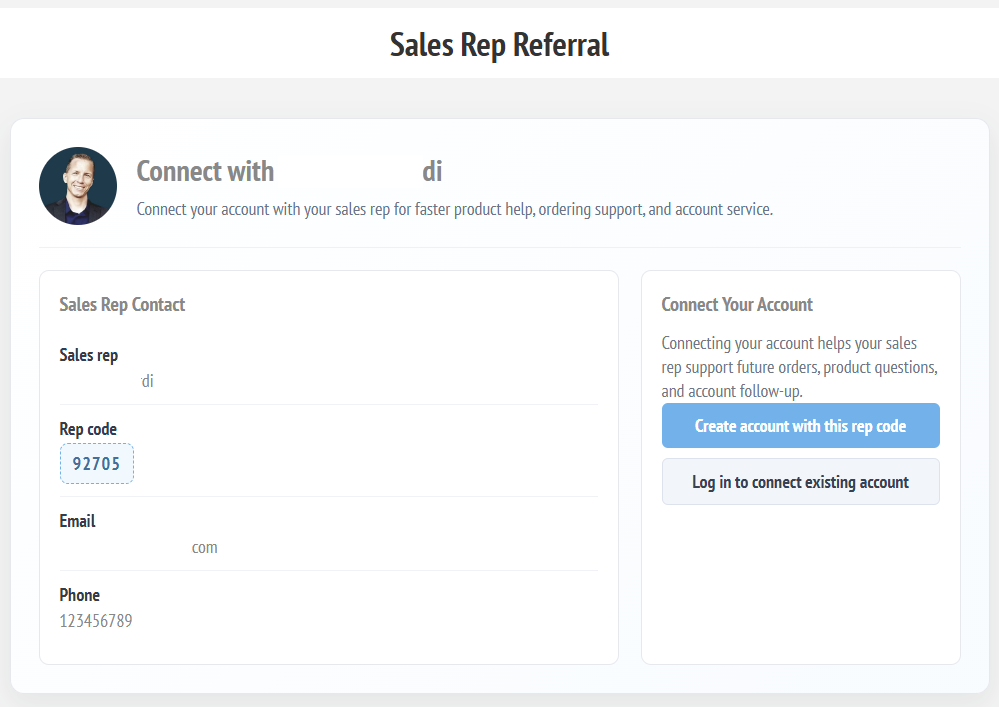
Referral links and rep-code entry
Reps can share a branded referral page. Customers can also enter a rep code during registration or from My Account.
Rep provides a landing page URL or short code.
The registration or My Account page captures the rep code.
The plugin prevents duplicates and respects store rules.
Optional email notifications and activity records are created.
Commission reporting, adjustments, and payouts
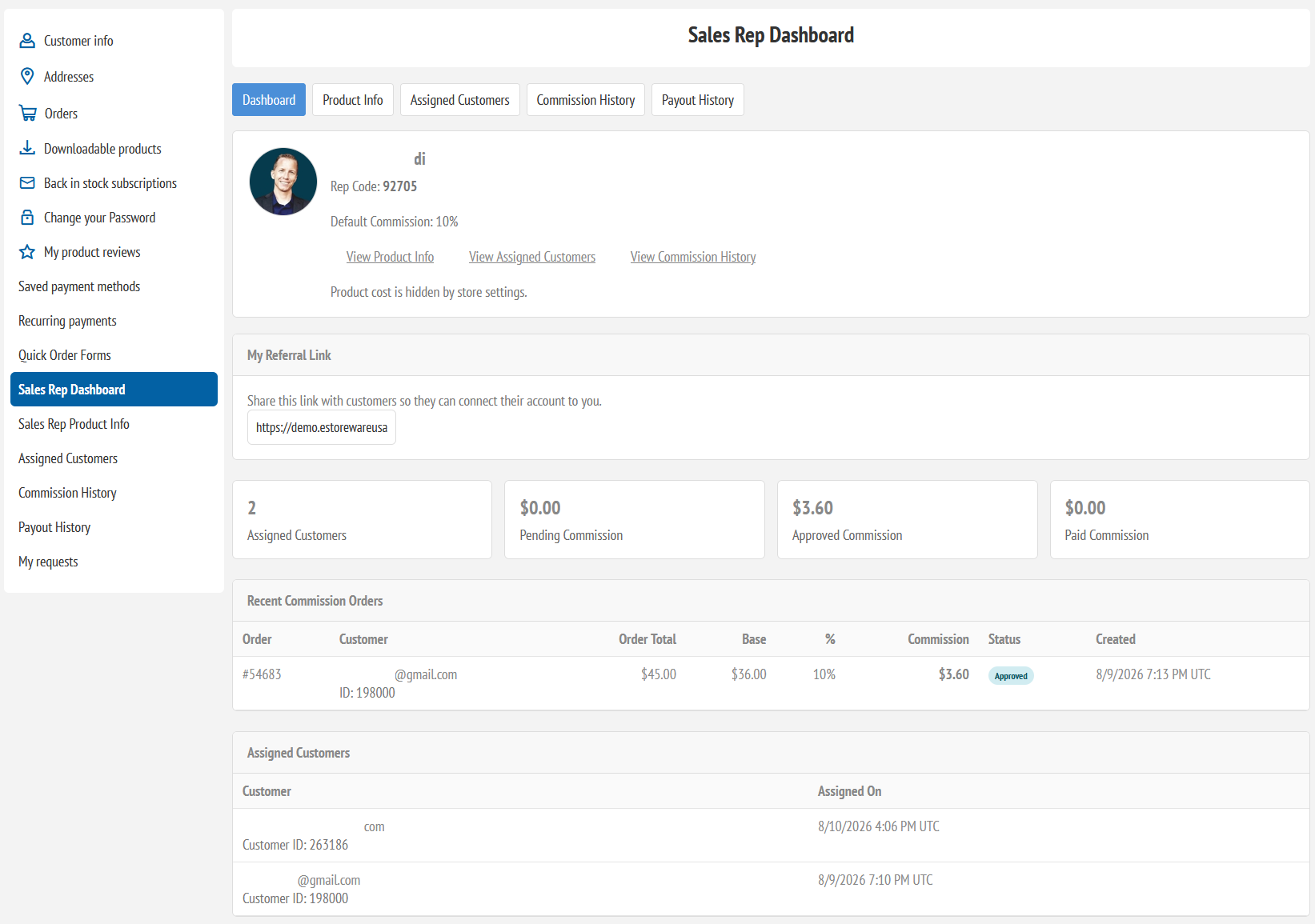
Summarize representative sales, eligible totals, commissions, manual adjustments, approved rows, payout batches, and paid locked records.
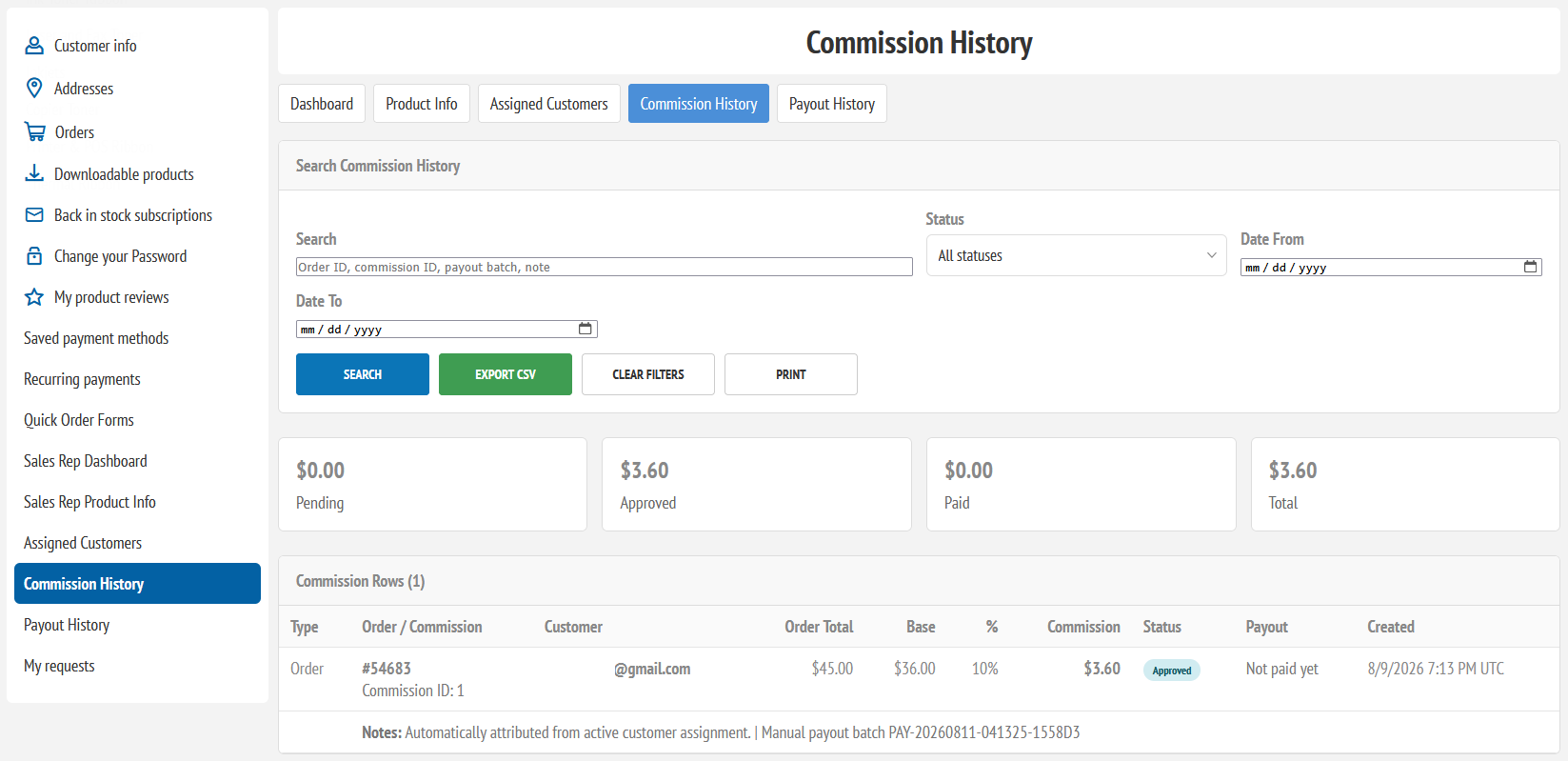
Controlled rep portal access
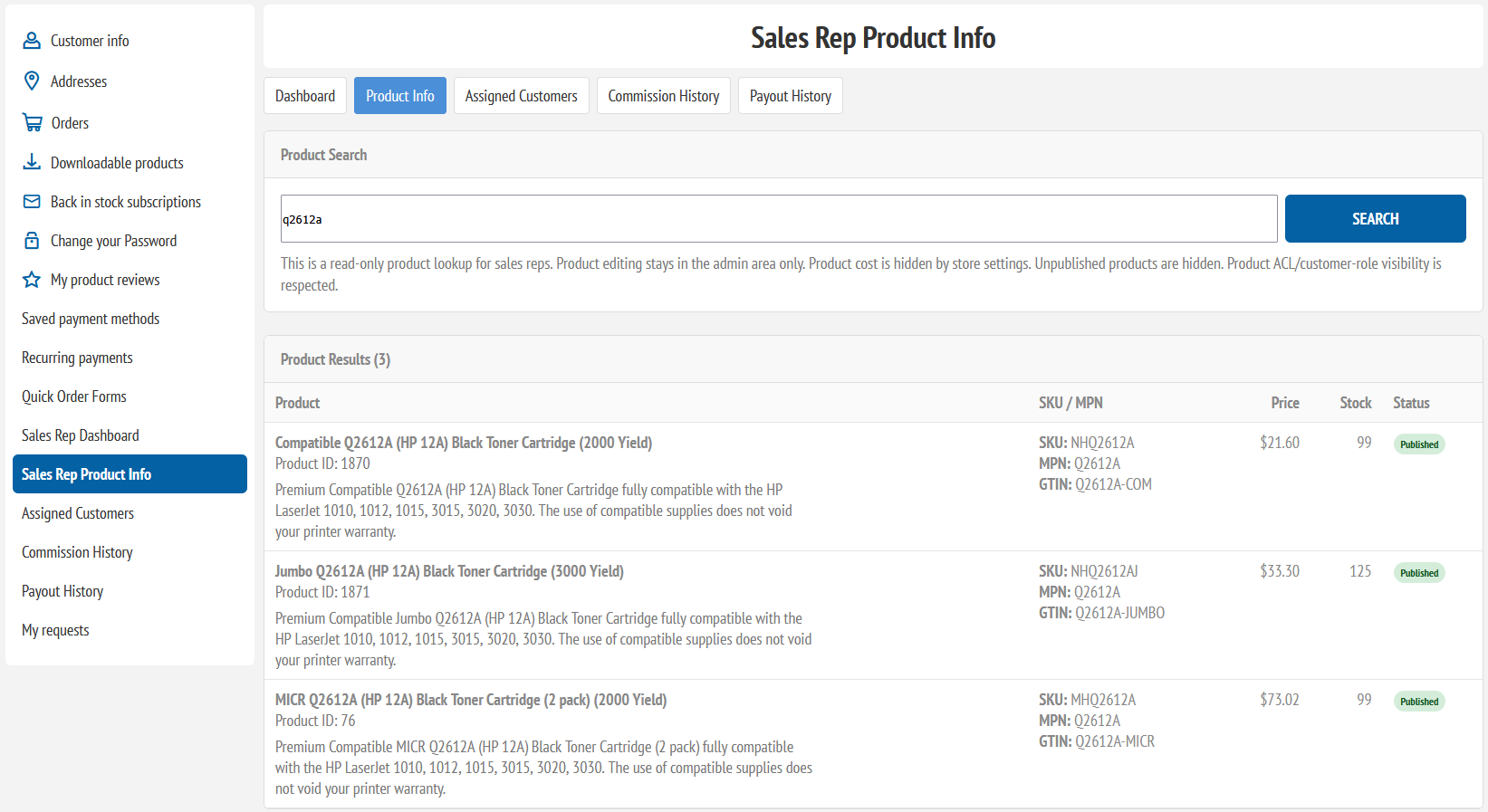
Sales reps can view their dashboard, assigned customers, product information, commission history, and payout history from My Account based on store settings.
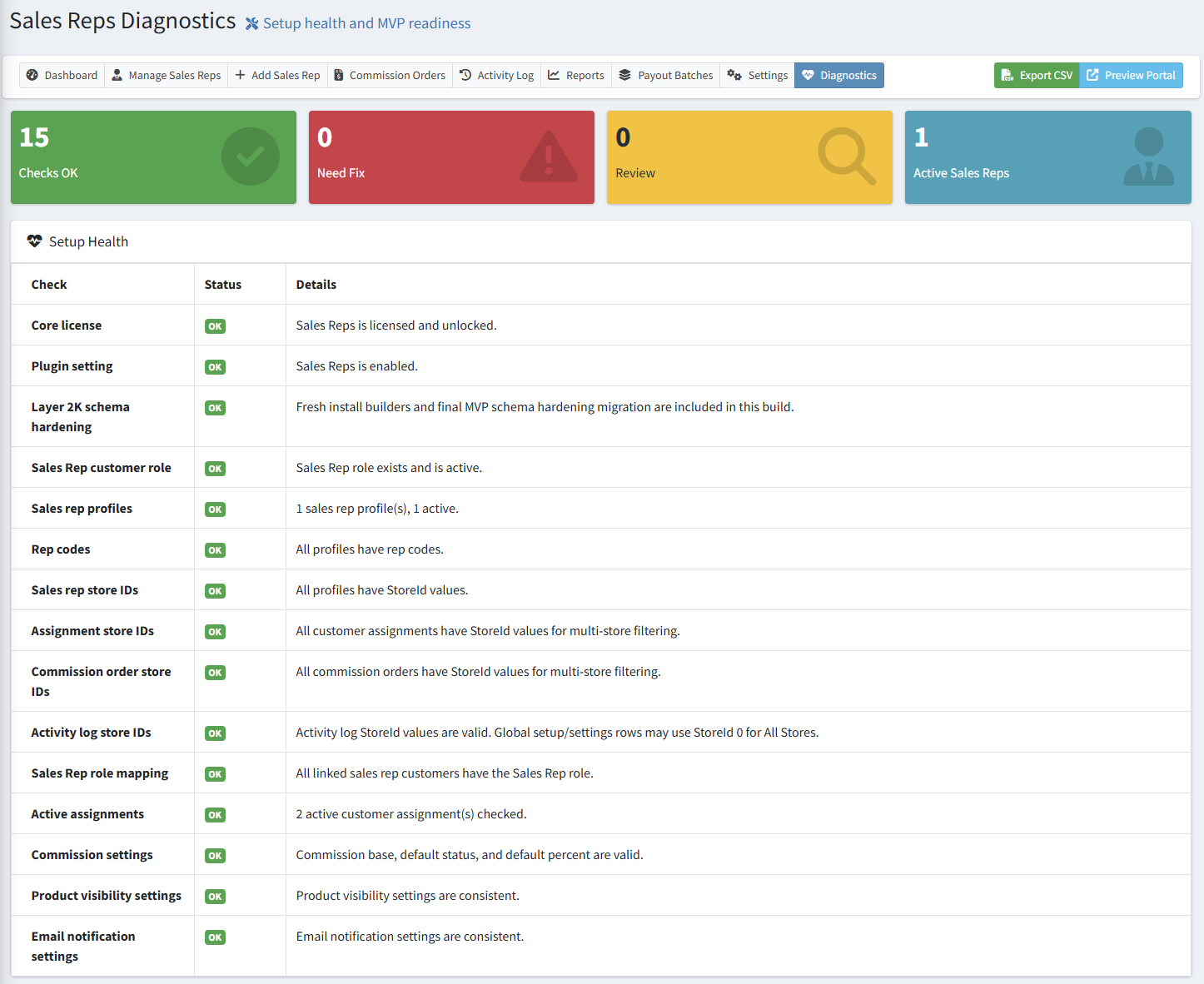
Reporting, diagnostics, and activity log
Administrative tools include performance reports, payout batch history, diagnostics, activity history, setup repair, exports, and multi-store-aware checks.
Connect account relationships to reporting
Discuss your assignment, commission, reporting, payout, and access rules.