B2B Ordering

eStoreware for nopCommerce • B2B Ordering

Help business customers reorder faster.

The eStoreware Quick Order Forms plugin extends nopCommerce with saved reorder lists, public links, QR-ready forms, email delivery, CSV tools, and desktop shortcuts.
  • Save repeat lists by department or location
  • Move selected items to the cart quickly
  • Share public forms, flyers, and QR codes
  • Email links and desktop shortcut setup
B2B ordering feature overview
SL

Saved lists

Reusable forms for departments and recurring purchases.

PQ

Public & QR

Public links, QR codes, flyers, and mobile ordering.

EM

Email delivery

Send forms and shortcut setup to customers.

DS

Desktop shortcut

Launch a saved form from Windows.

CSV

CSV tools

Import or export larger lists.

AC

Admin control

Manage visibility, pricing, products, and activity.

Customer portal ordering

Give every business account a faster way to reorder.

Customers can keep multiple forms for office supplies, warehouse toner, classrooms, branches, or departments.
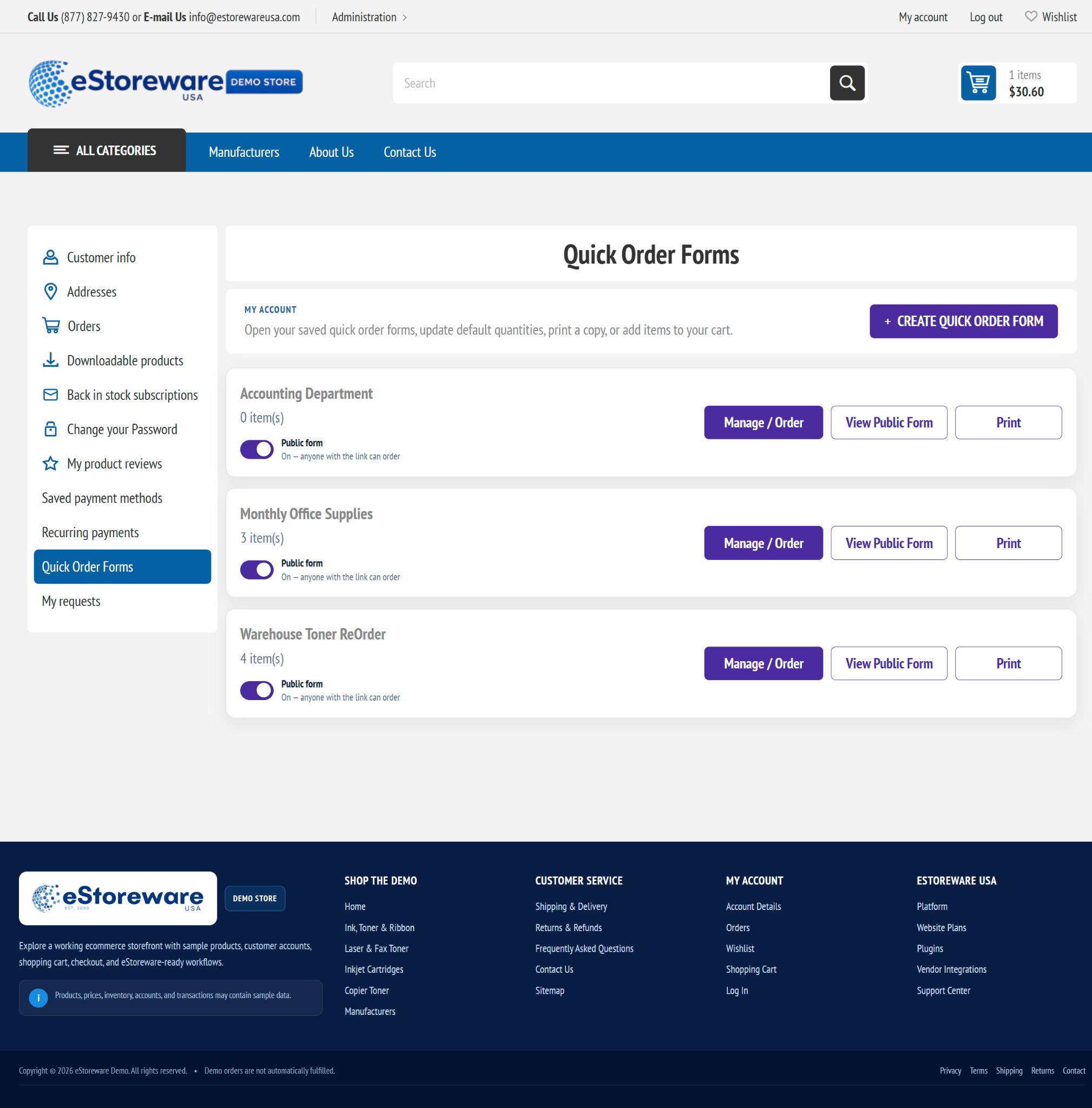
Quick Order Forms list
Saved forms in My Account
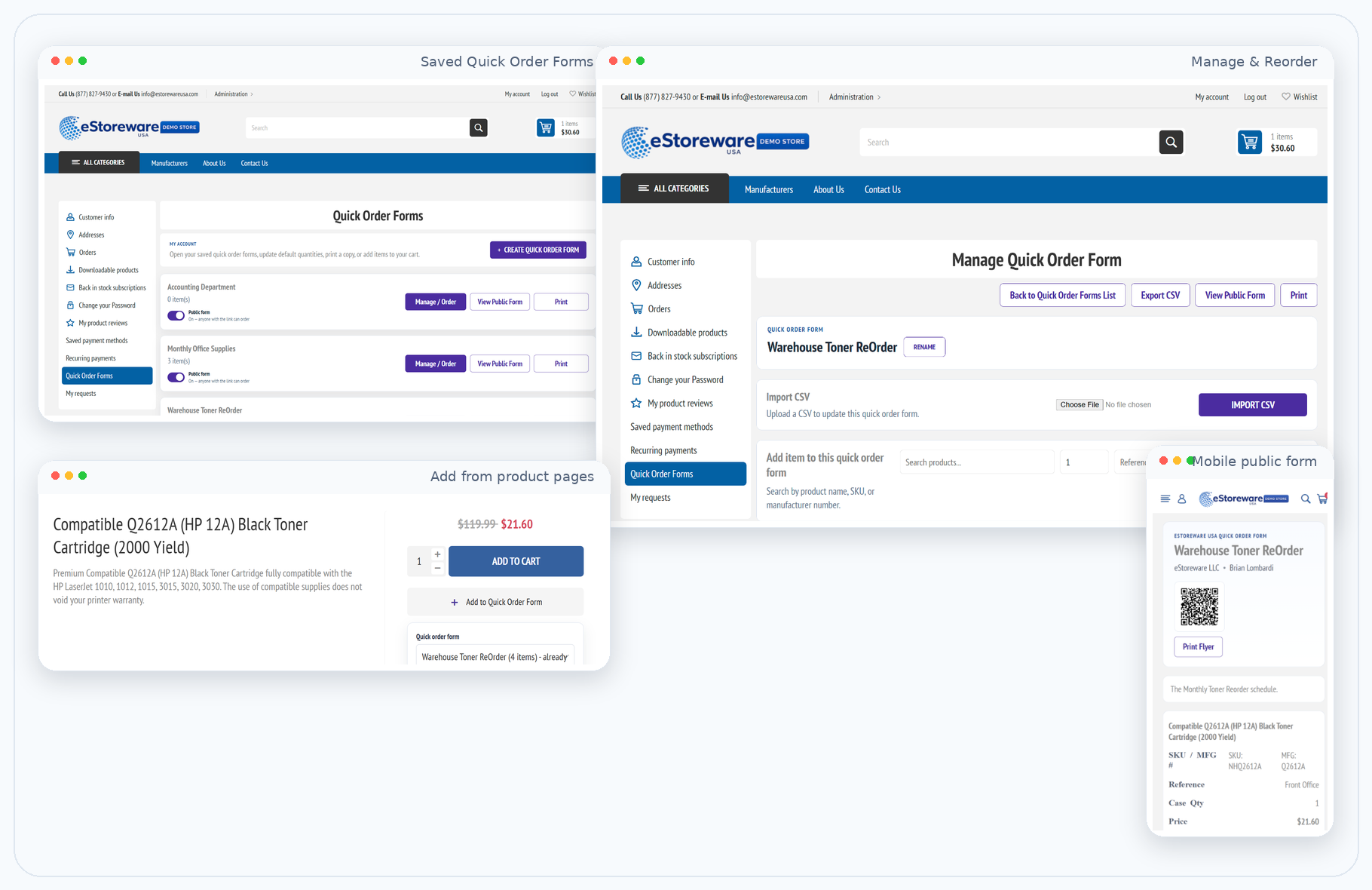
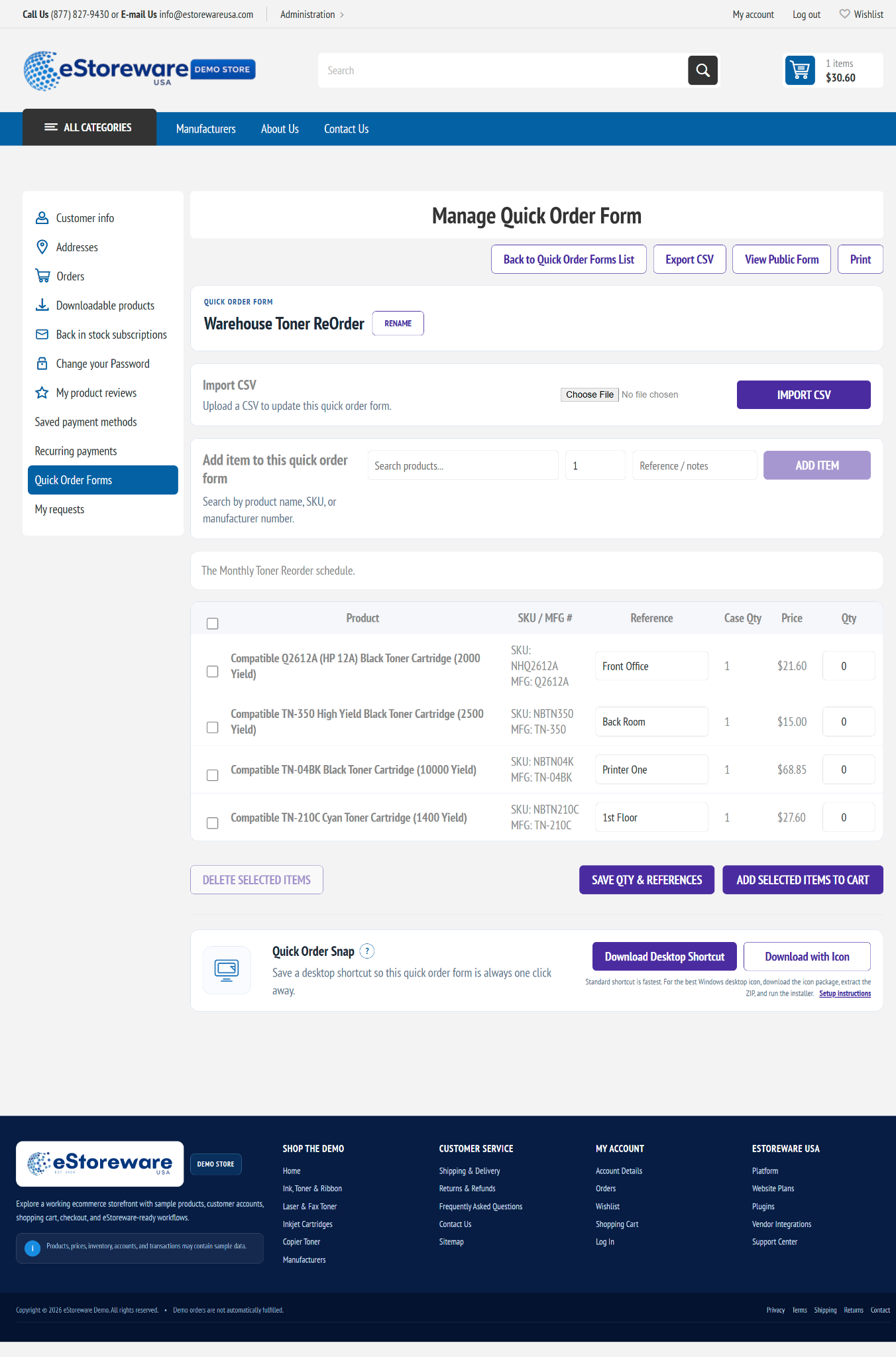
Manage Quick Order Form
Products, references, quantities, CSV, cart actions, and Snap

Build forms while browsing

Add products directly from the product page.

Select a form, set a default quantity, add a reference, and keep building a reusable list.
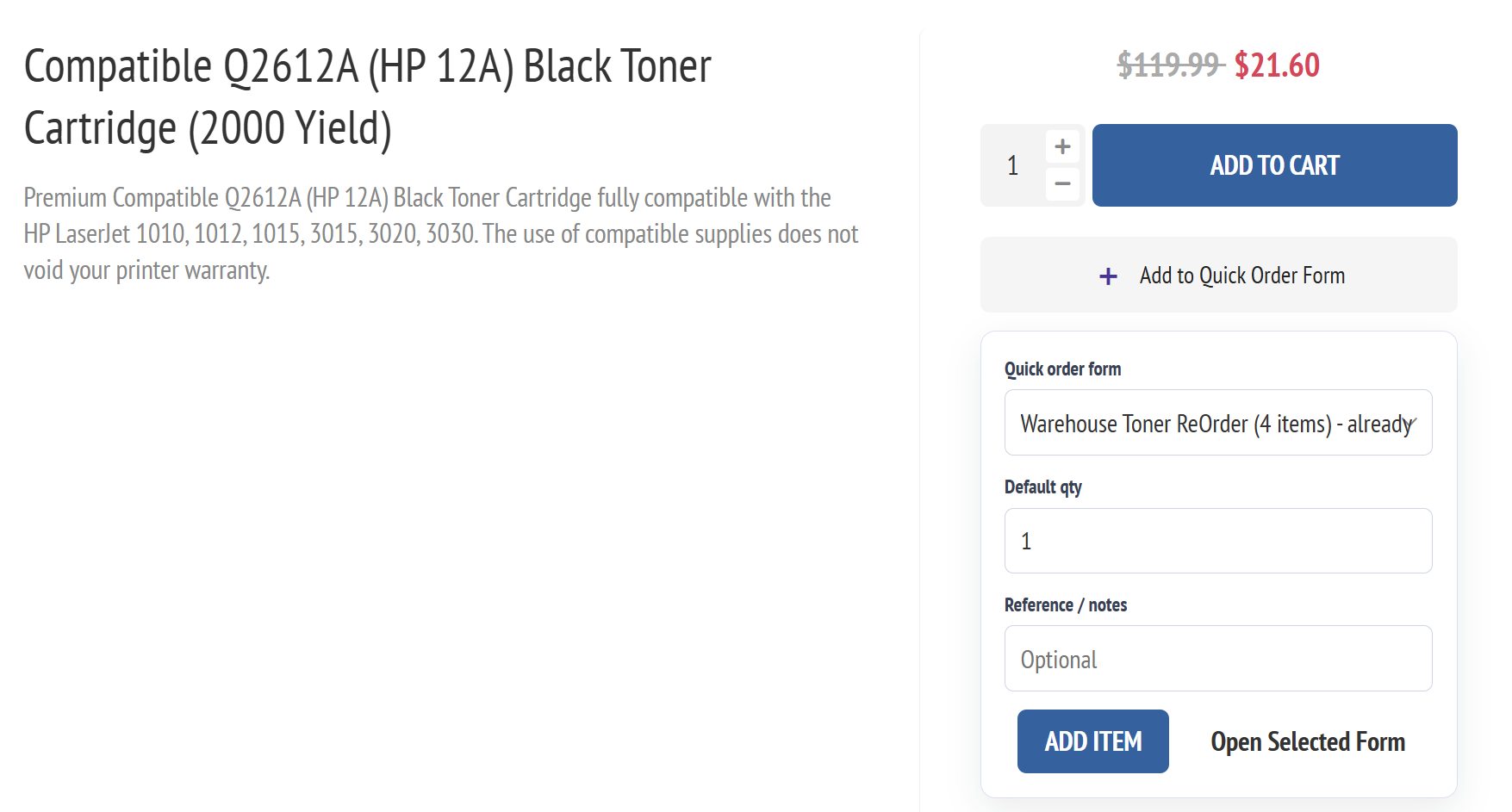
  • Select a saved form
  • Store quantities and notes
  • Open the selected form
  • Combine browsing with repeat-order planning
Product-page Quick Order widget
Add products directly to a saved form

Public links, flyers, and QR ordering

Share a reorder form beyond the customer account.

Public forms work well for schools, offices, branches, warehouses, and other simplified purchasing workflows.
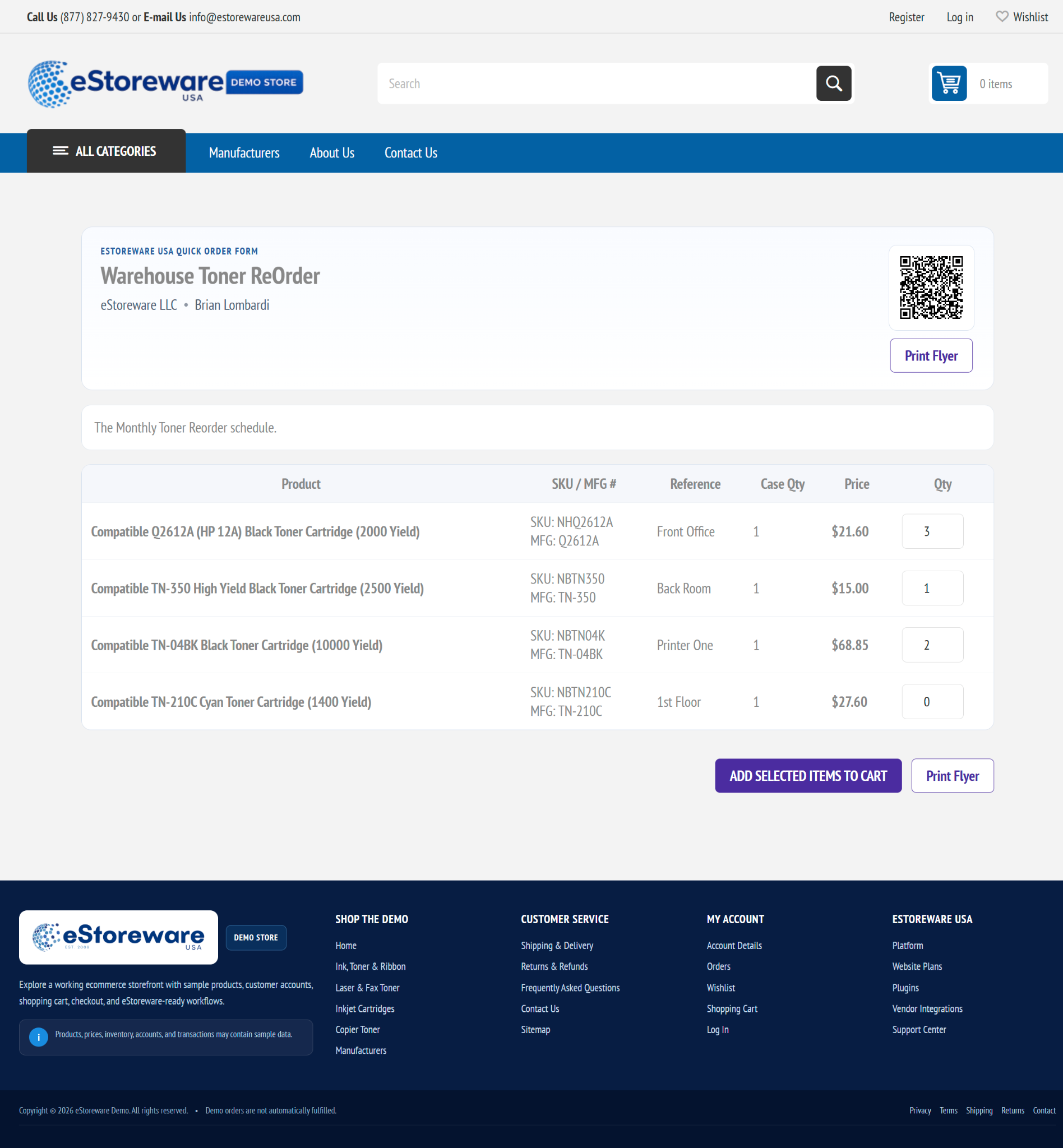

Public Quick Order Form
Desktop public ordering with QR and saved items
Mobile public Quick Order Form
Mobile ordering from a public or QR-opened form

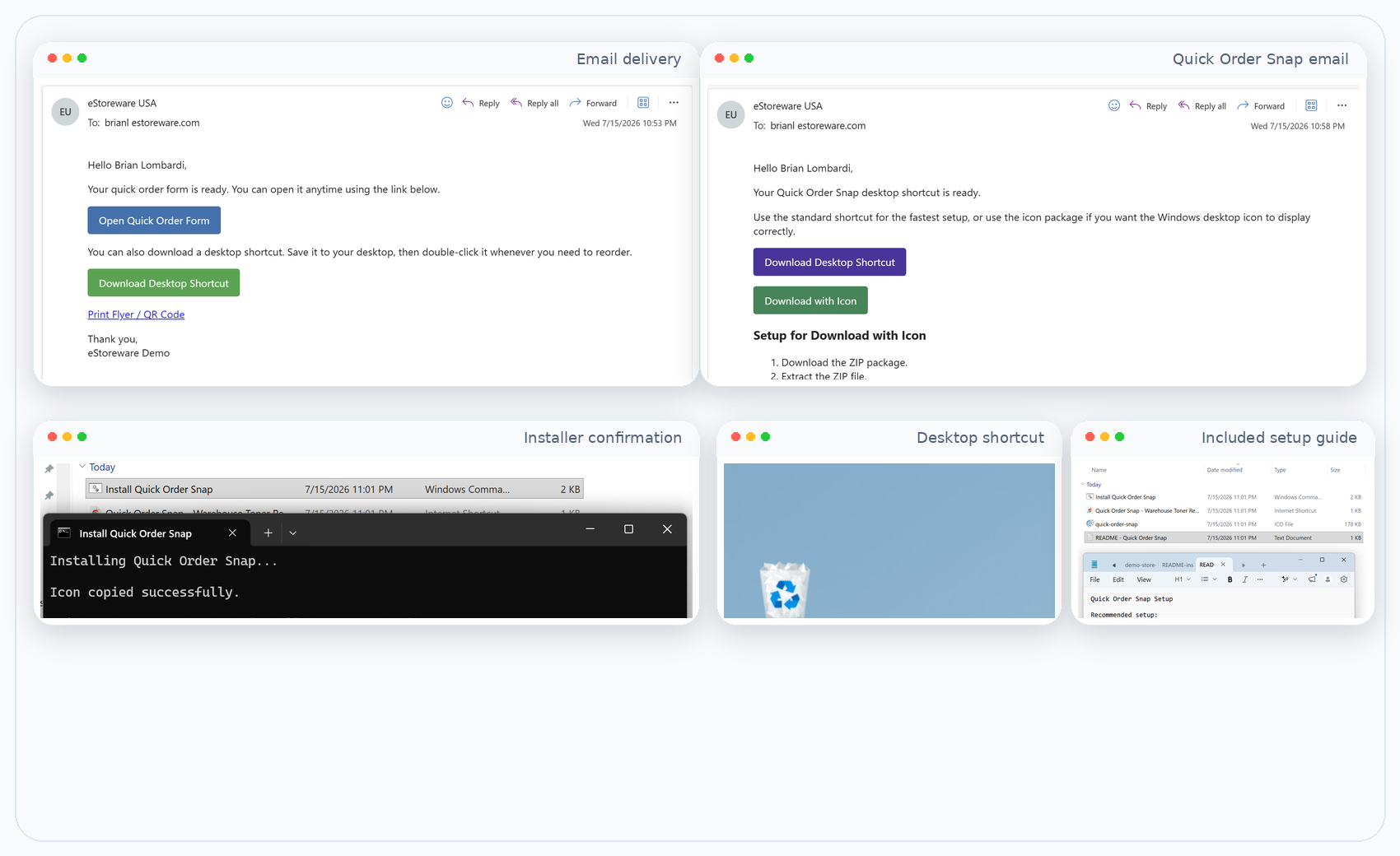
From inbox to one-click reorder

Email the ordering experience and offer Quick Order Snap.

Send a form link, print and QR access, and desktop shortcut setup.
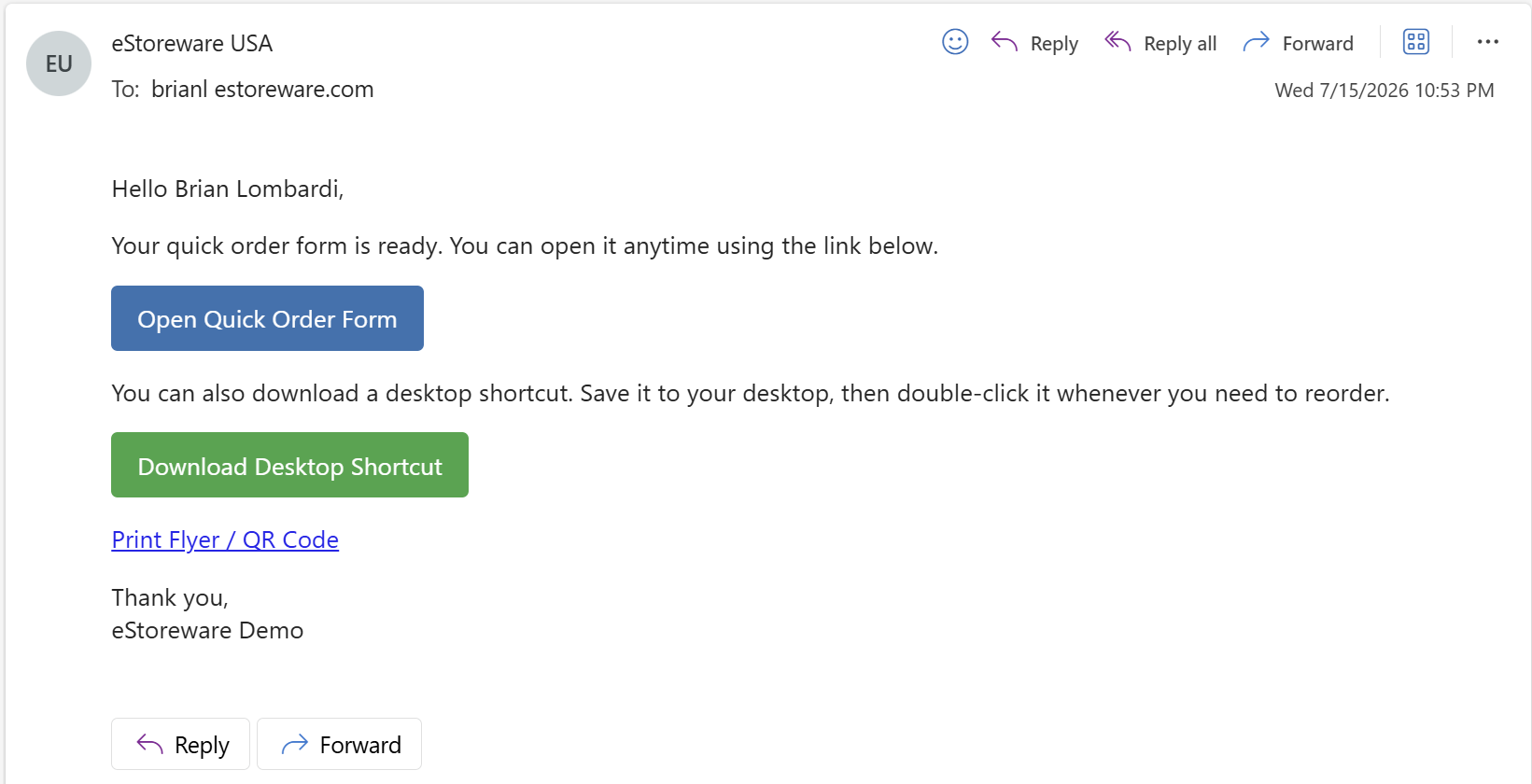
Quick Order Form email
Direct ordering, shortcut, and print links
Quick Order Snap workflow
Email, installer, setup guide, and desktop shortcut

Admin control

Configure forms, public access, pricing, email, and shortcut behavior.

Keep the repeat-order workflow under administrative control.
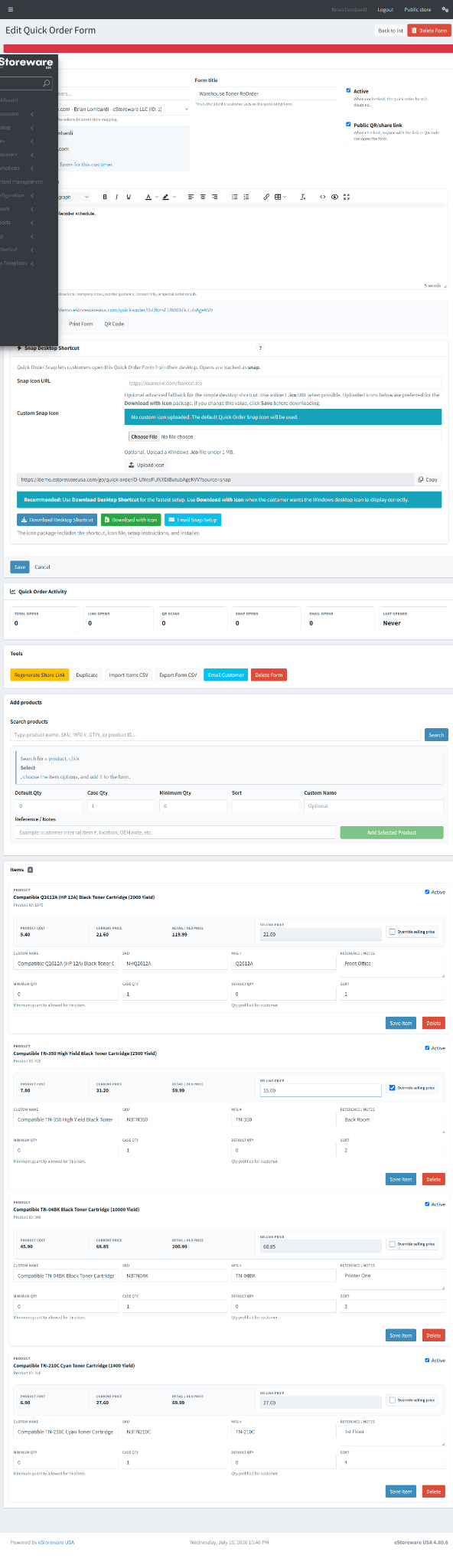
  • Regenerate public links
  • Manage customer ownership and form status
  • Control item prices, references, and quantities
  • Send form and Snap emails
  • Review link, QR, email, and Snap activity
Admin Quick Order Form editor
Administrative form, item, email, and shortcut controls

Modern repeat ordering

Bring faster B2B reordering to the storefront.

Combine forms, product-page access, public links, QR workflows, email delivery, CSV tools, and desktop shortcuts.