eStoreware Sales Reps & Commissions for nopCommerce - 14-Day Trial

Add sales rep profiles, customer assignments, referral links, rep-code registration, commission tracking, payout batches, reports, diagnostics, and controlled sales rep portal access to nopCommerce.

Requires eStoreware Core: The free eStoreware Core plugin is automatically included with supported plugin purchases.

SKU: esw-sales-reps-trial
$0.00
Supported Versions
4.80, 4.90
increase decrease

Sales Reps & Commissions for nopCommerce

Manage sales reps, assigned customers, commissions, payouts, and portal access.

eStoreware Sales Reps adds representative profiles, customer assignments, referral codes, order attribution, commission tracking, payout batches, reports, diagnostics, and controlled sales rep portal pages to nopCommerce.
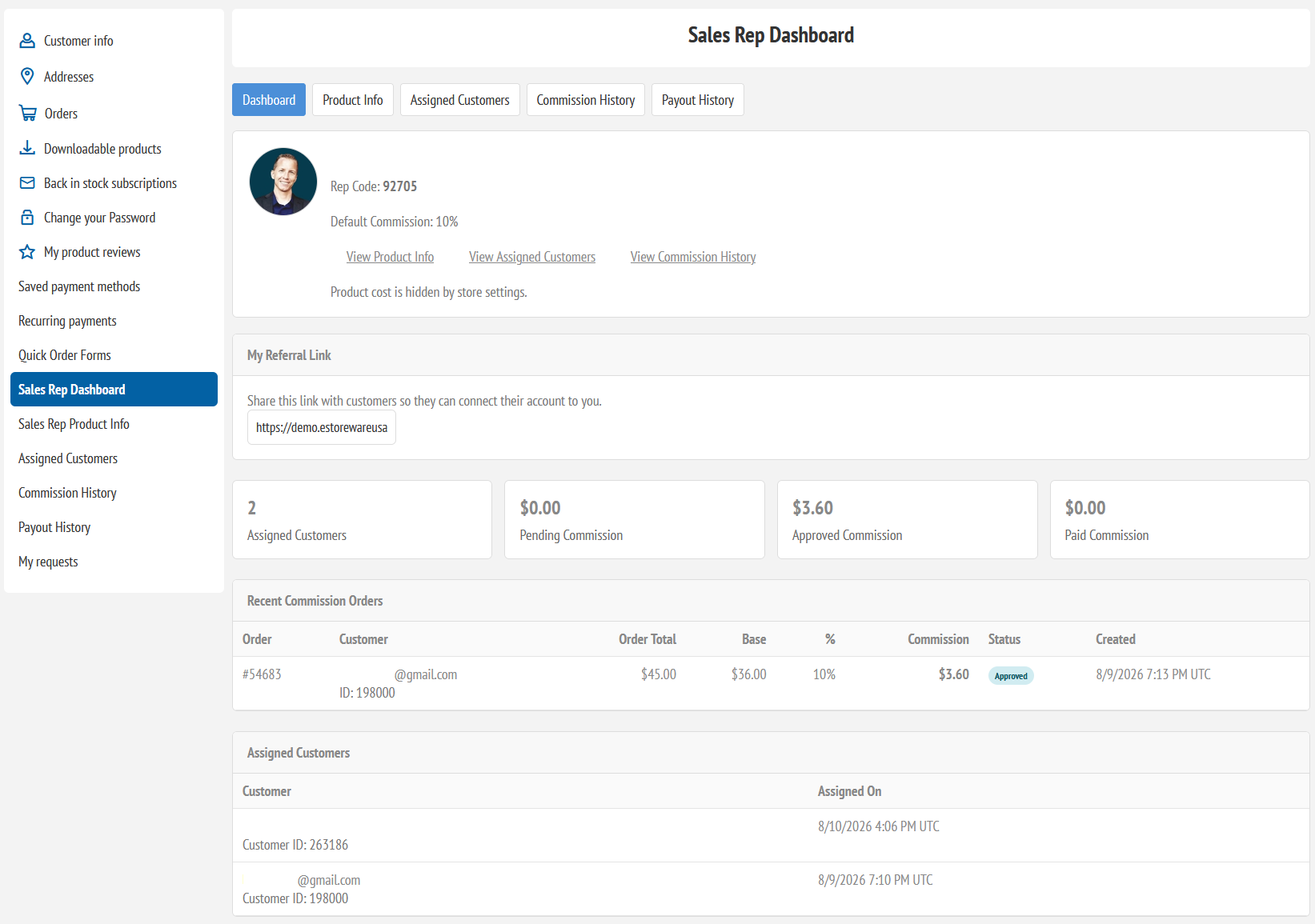
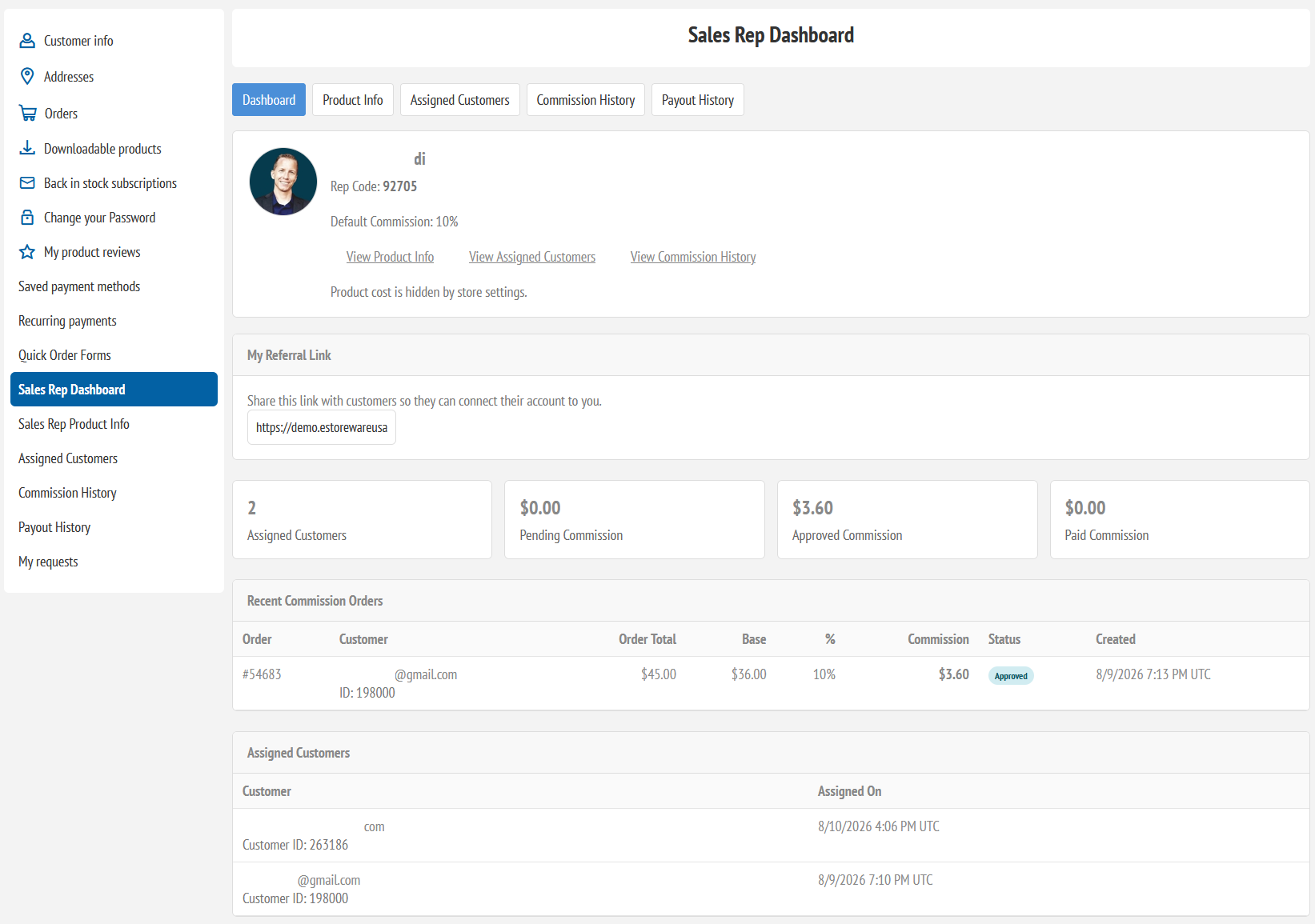
Sales rep dashboard showing assigned customers and commission summary
nopCommerce 4.80 support Sales rep portal Commission reporting Payout batches Multi-store aware Core licensing ready

Sales Rep Management

Create the sales-team structure inside nopCommerce.

Administrators can create sales rep profiles, connect each rep to a customer login, assign customers, upload a profile photo, set rep codes, configure default commission percentages, and manage active status.

RP

Rep profiles

Create sales rep profiles with contact details, rep codes, photos, active status, and commission defaults.

CA

Customer assignments

Assign customers to reps manually, through referral links, or by rep code entry.

RL

Referral landing pages

Give reps a branded referral page customers can use to register or connect their account.

RC

Rep-code registration

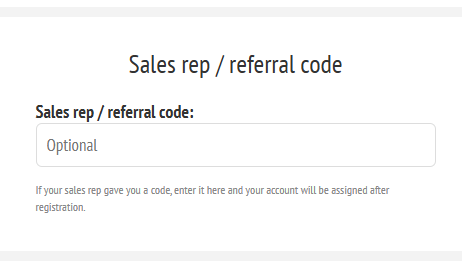
Add an optional sales rep / referral code field to customer registration and My Account.

PB

Payout batches

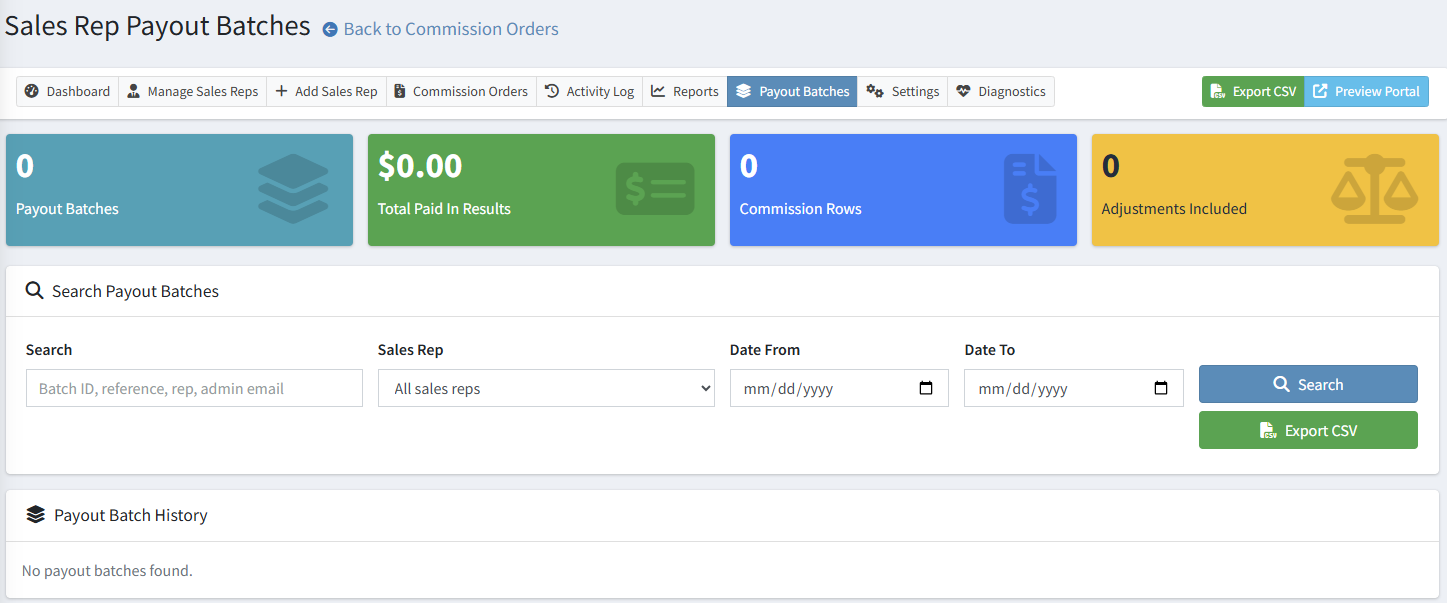
Group approved commission rows into payout batches with payout references.

LC

Core licensing

Integrates with eStoreware Core licensing so the plugin can activate from the Core serial/license system.

Admin Sales Rep Workflow

Manage reps, assignments, and account ownership without spreadsheet tracking.

The admin area gives staff a central place to manage reps, view assigned customers, review activity, track setup health, and open reporting pages. A lightweight sales rep panel can also appear on customer details.
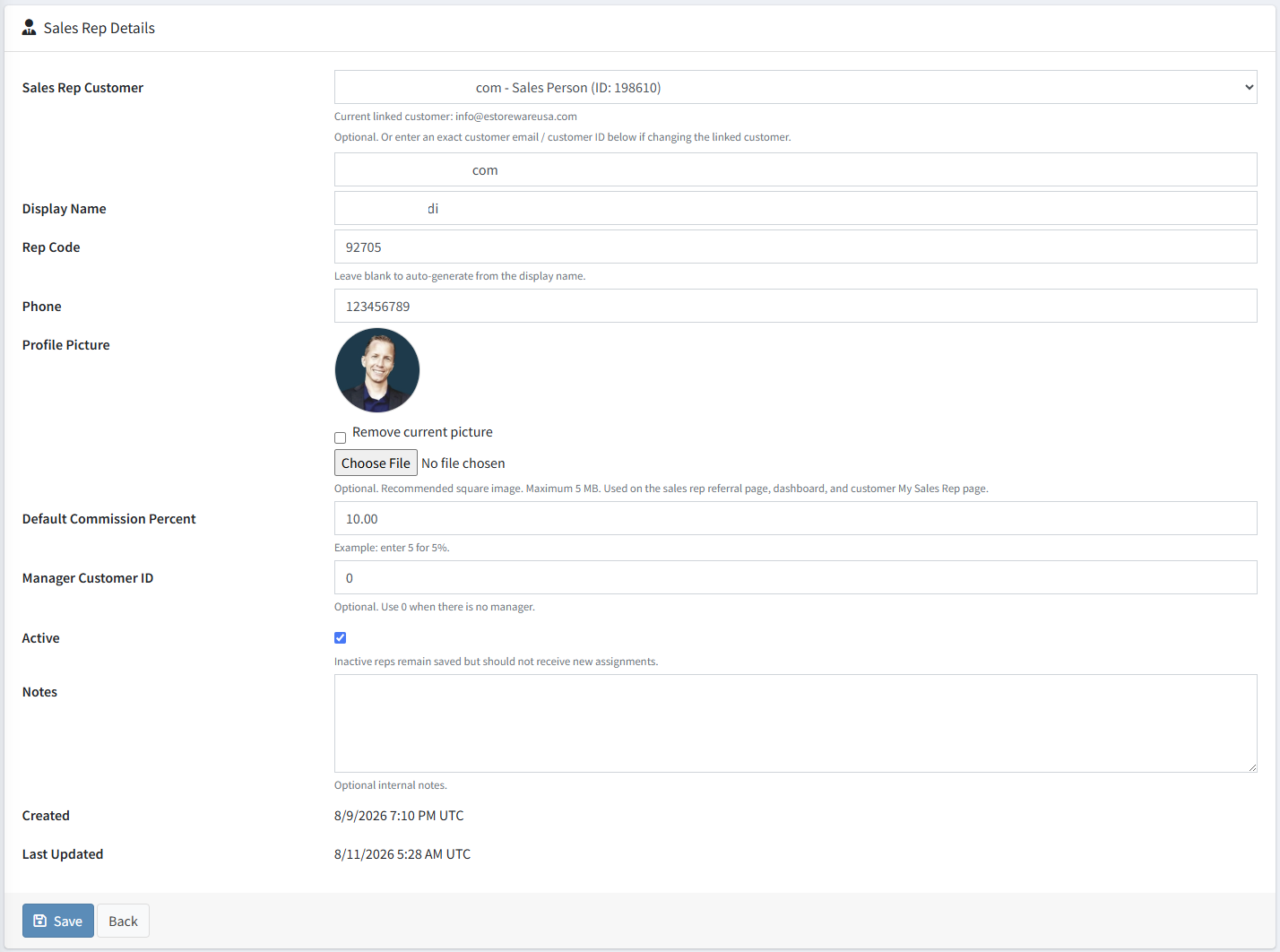
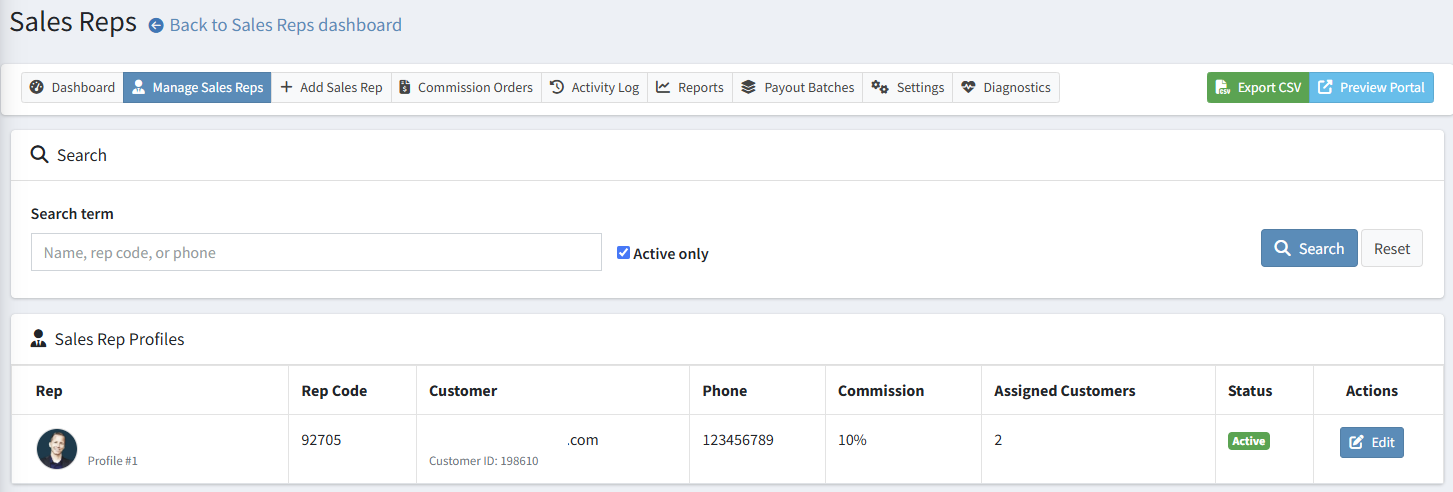
  • Create and edit sales rep profiles
  • Upload optional sales rep profile photos
  • Assign and end customer assignments
  • View sales rep details from the admin customer page
  • Use diagnostics and repair tools after upgrades or copied deployments
Admin sales rep profile edit page with profile photo and commission settings

Referral Links and Rep Codes

Let reps share a professional connection page.

Each active sales rep can have a branded landing page with rep details, a rep code, login and registration actions, and customer self-assignment logic.

Commission Tracking and Payout Batches

Turn attributed orders into reviewable commission and payout records.

The plugin can create commission records when assigned customers order. Admins can approve, recalculate, export, adjust, group into payout batches, and lock paid records.

  • Automatic order attribution from assigned customers
  • Pending, approved, paid, and void status workflow
  • Manual positive or negative adjustments
  • Payout batch creation and payout history
  • Paid commission locking to protect accounting records
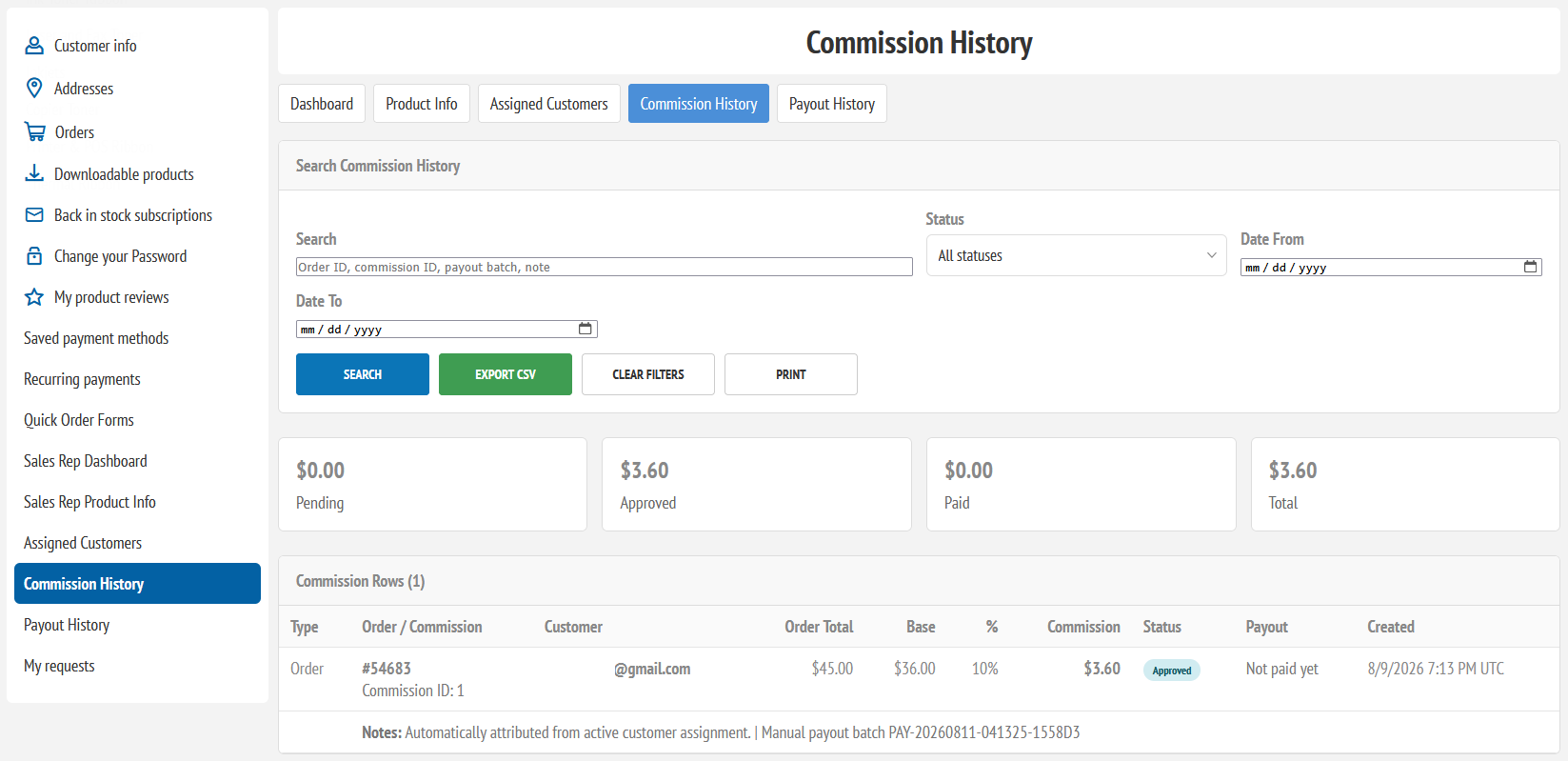
Sales rep commission history and commission status page
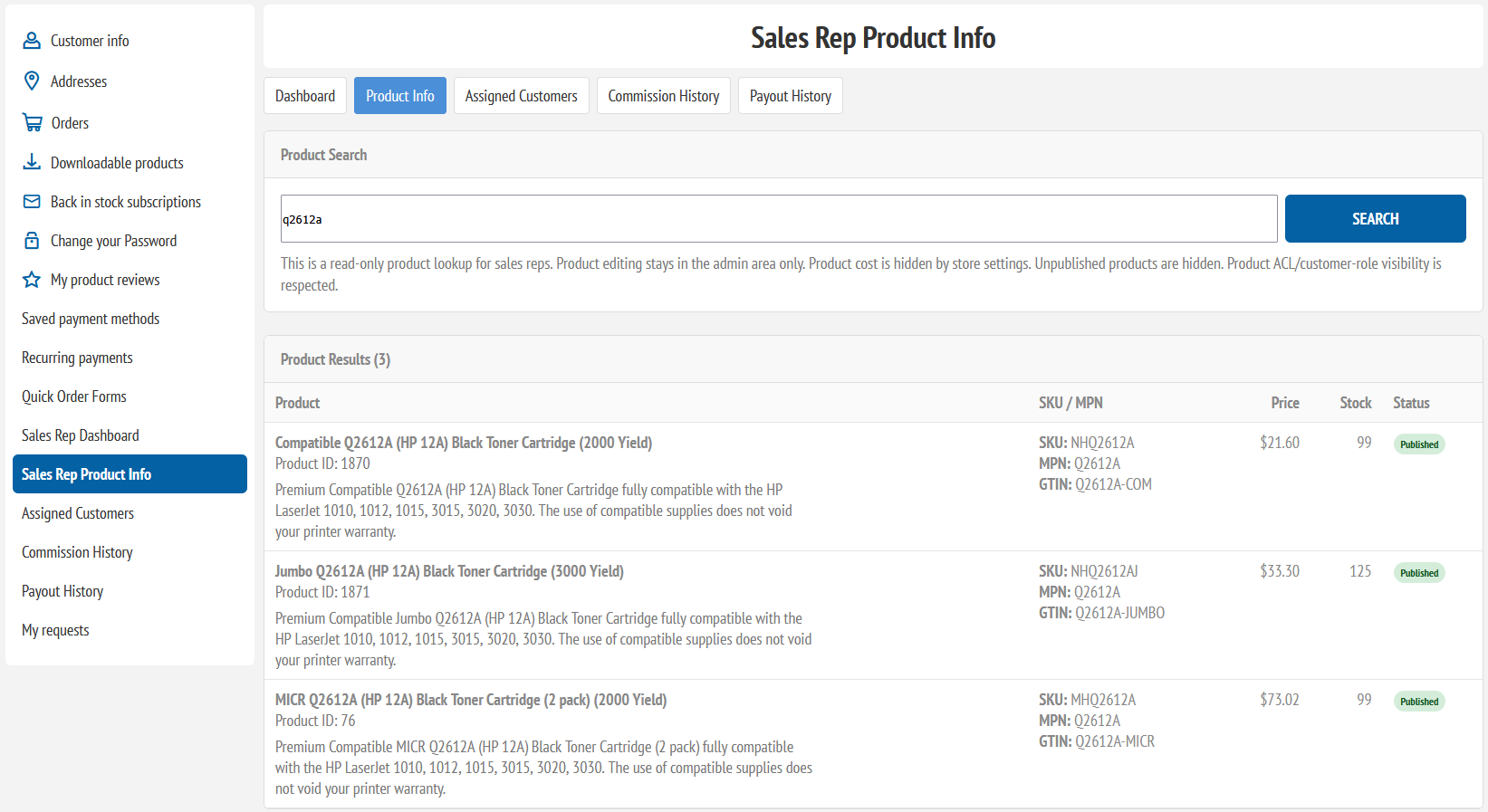
Read-only sales rep product lookup page

Controlled Sales Rep Portal

Give reps useful visibility without giving admin access.

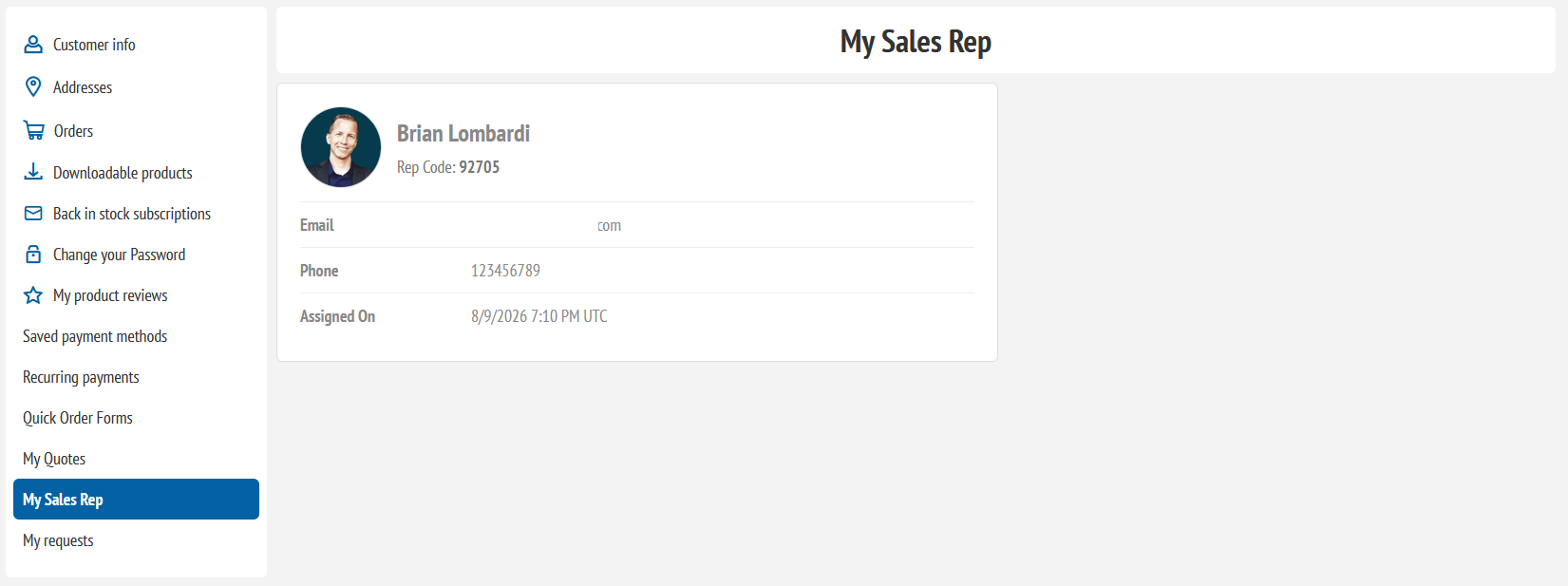
Sales reps can access a customer-side portal from My Account. Store owners can decide what reps can view, including product lookup, assigned customers, commission history, payout history, and whether product cost is hidden.

  • Sales rep dashboard inside My Account
  • Read-only product lookup
  • Assigned customer snapshot
  • Commission and payout history
  • Optional product cost visibility control

Sales Rep Portal Pages

Show the key rep tools with clear customer-account navigation.

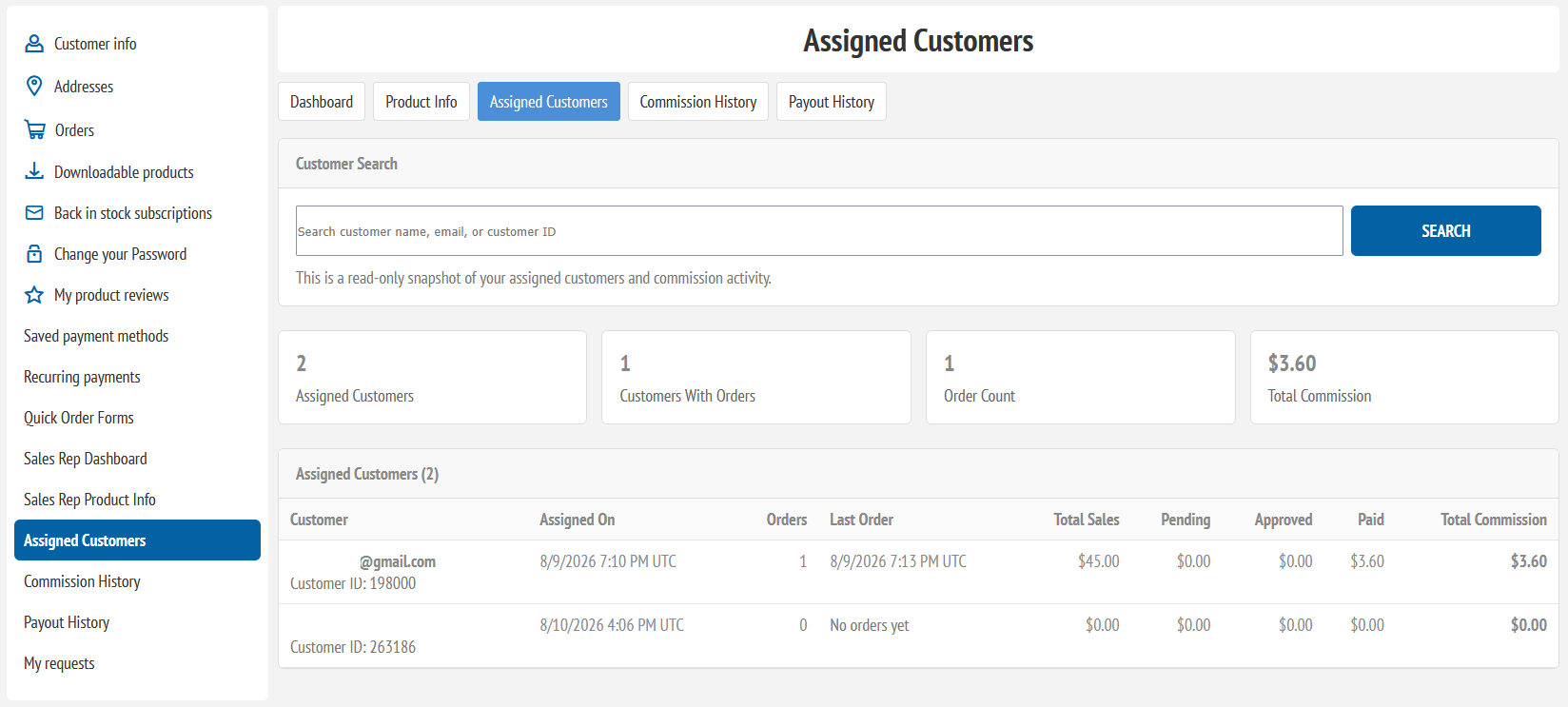
The storefront portal keeps sales reps in My Account while giving them quick access to assigned customers, product lookup, commission history, and payout history.

Reports, Diagnostics, and Audit Trail

Keep the workflow visible, searchable, and supportable.

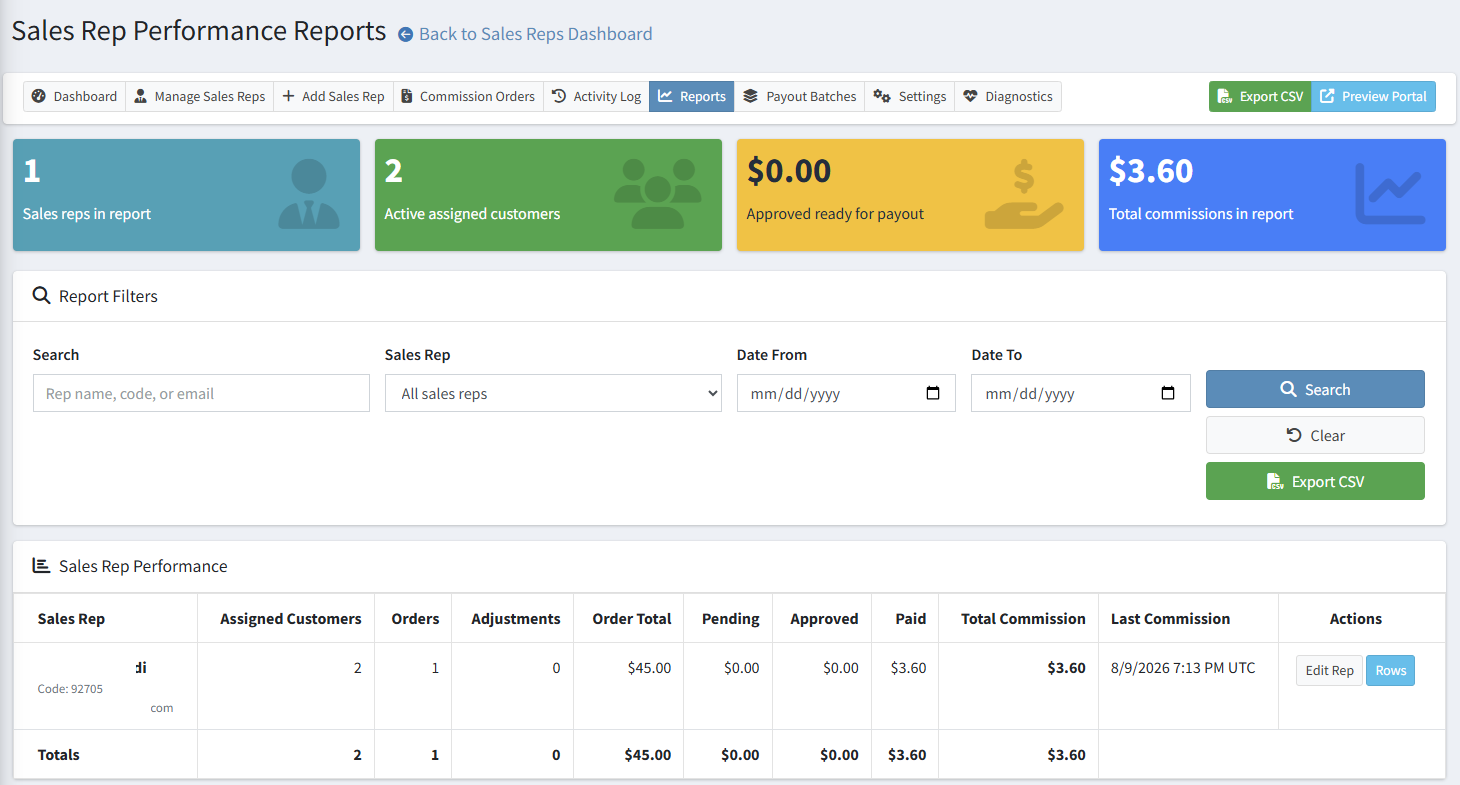
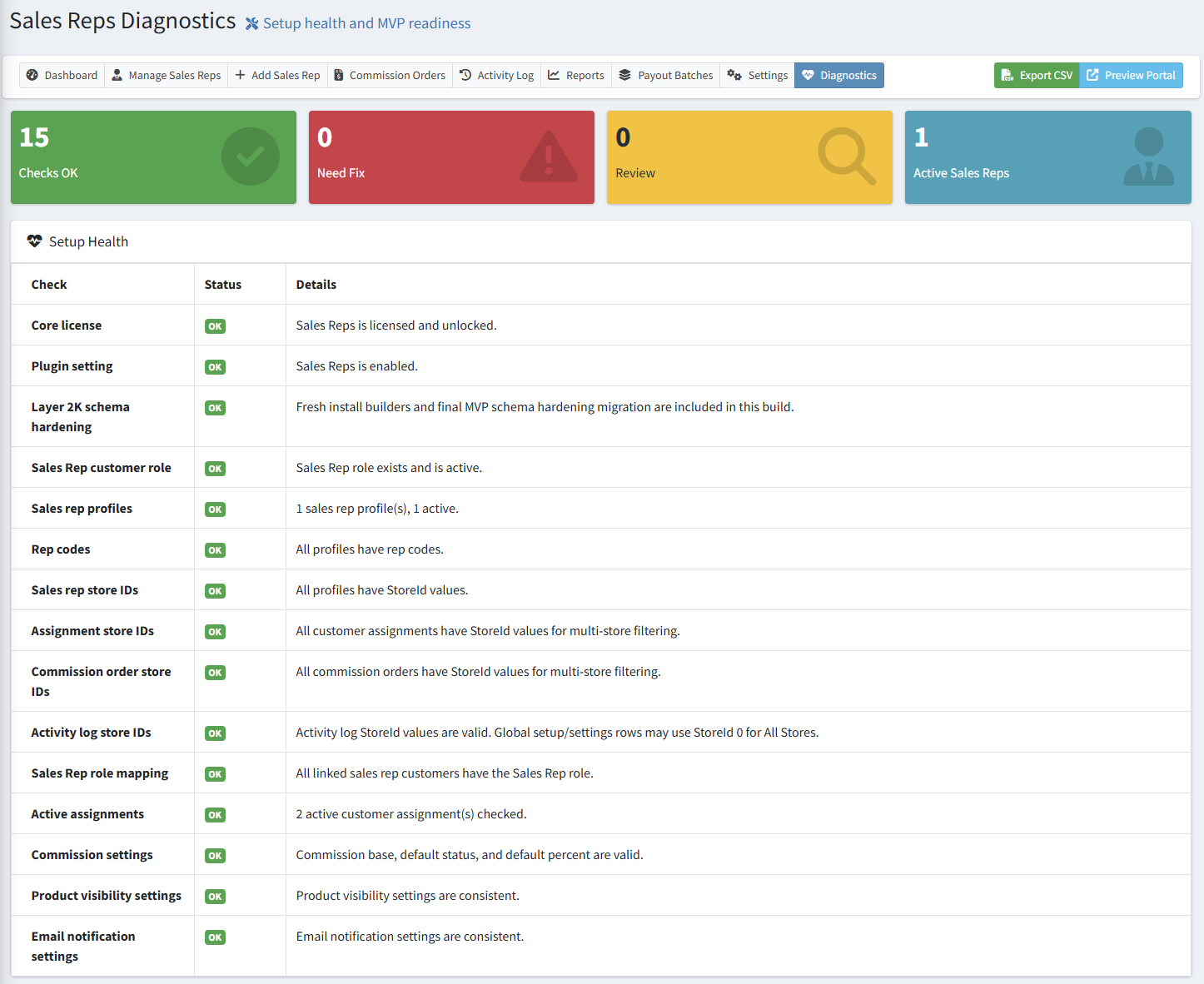
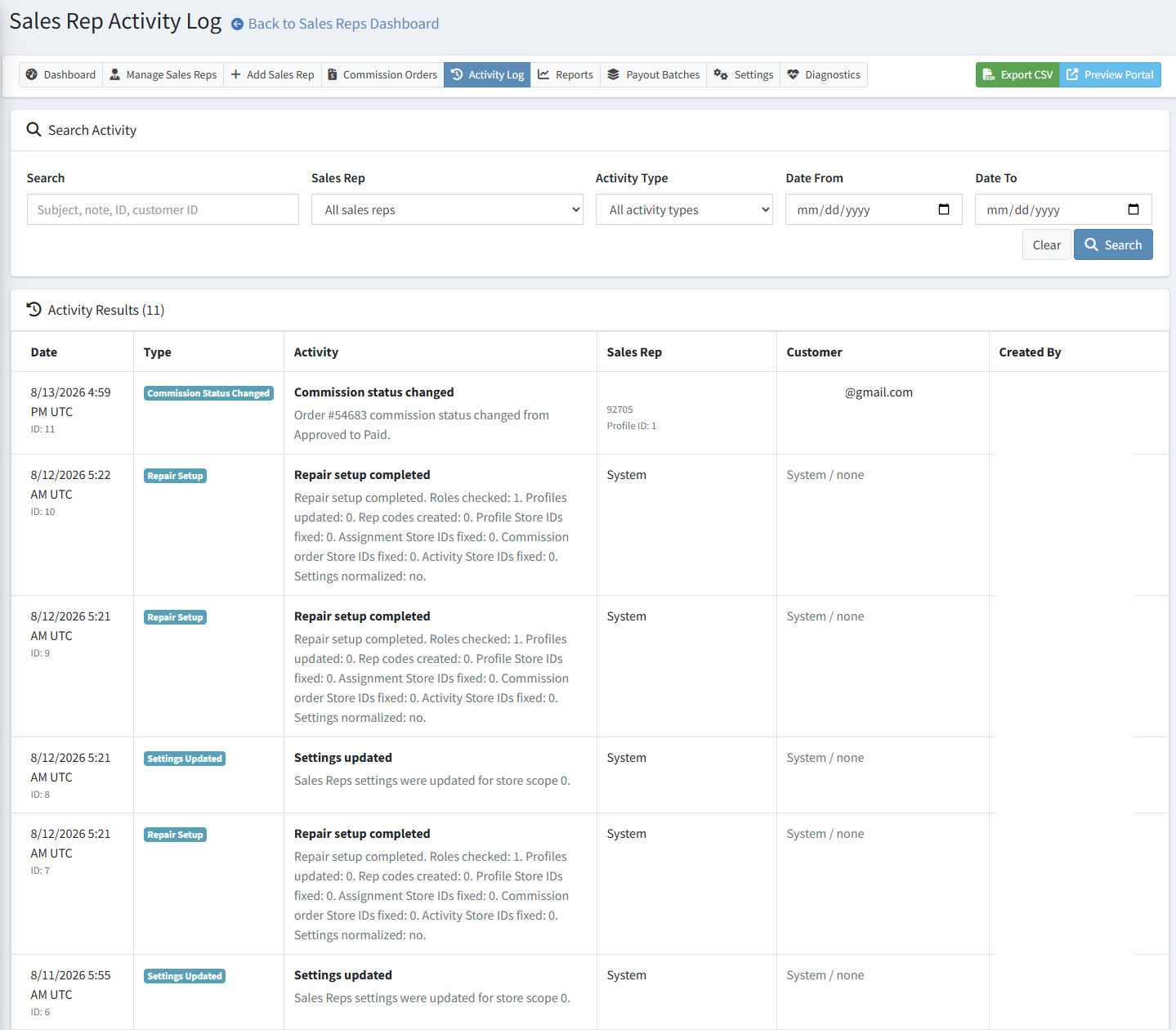
Administrators can review performance reports, payout batch history, diagnostics, activity logs, and CSV exports. This helps support operations, accounting, upgrades, and troubleshooting.

  • Sales rep performance reports
  • Activity log and audit trail
  • Diagnostics and repair setup tools
  • Commission and payout CSV exports
  • Setup health checks for roles, store IDs, settings, and licensing
Sales Reps diagnostics and setup health page

Ready to manage sales reps inside nopCommerce?

Add customer assignment, commission tracking, rep-code registration, controlled sales rep portal access, payout reporting, diagnostics, and activity history to your nopCommerce store.

Sales Reps & Commissions for nopCommerce

Manage sales reps, assigned customers, commissions, payouts, and portal access.

eStoreware Sales Reps adds representative profiles, customer assignments, referral codes, order attribution, commission tracking, payout batches, reports, diagnostics, and controlled sales rep portal pages to nopCommerce.

Sales rep dashboard showing assigned customers and commission summary
nopCommerce 4.80 support Sales rep portal Commission reporting Payout batches Multi-store aware Core licensing ready

Sales Rep Management

Create the sales-team structure inside nopCommerce.

Administrators can create sales rep profiles, connect each rep to a customer login, assign customers, upload a profile photo, set rep codes, configure default commission percentages, and manage active status.

RP

Rep profiles

Create sales rep profiles with contact details, rep codes, photos, active status, and commission defaults.

CA

Customer assignments

Assign customers to reps manually, through referral links, or by rep code entry.

RL

Referral landing pages

Give reps a branded referral page customers can use to register or connect their account.

RC

Rep-code registration

Add an optional sales rep / referral code field to customer registration and My Account.

PB

Payout batches

Group approved commission rows into payout batches with payout references.

LC

Core licensing

Integrates with eStoreware Core licensing so the plugin can activate from the Core serial/license system.

Admin Sales Rep Workflow

Manage reps, assignments, and account ownership without spreadsheet tracking.

The admin area gives staff a central place to manage reps, view assigned customers, review activity, track setup health, and open reporting pages. A lightweight sales rep panel can also appear on customer details.
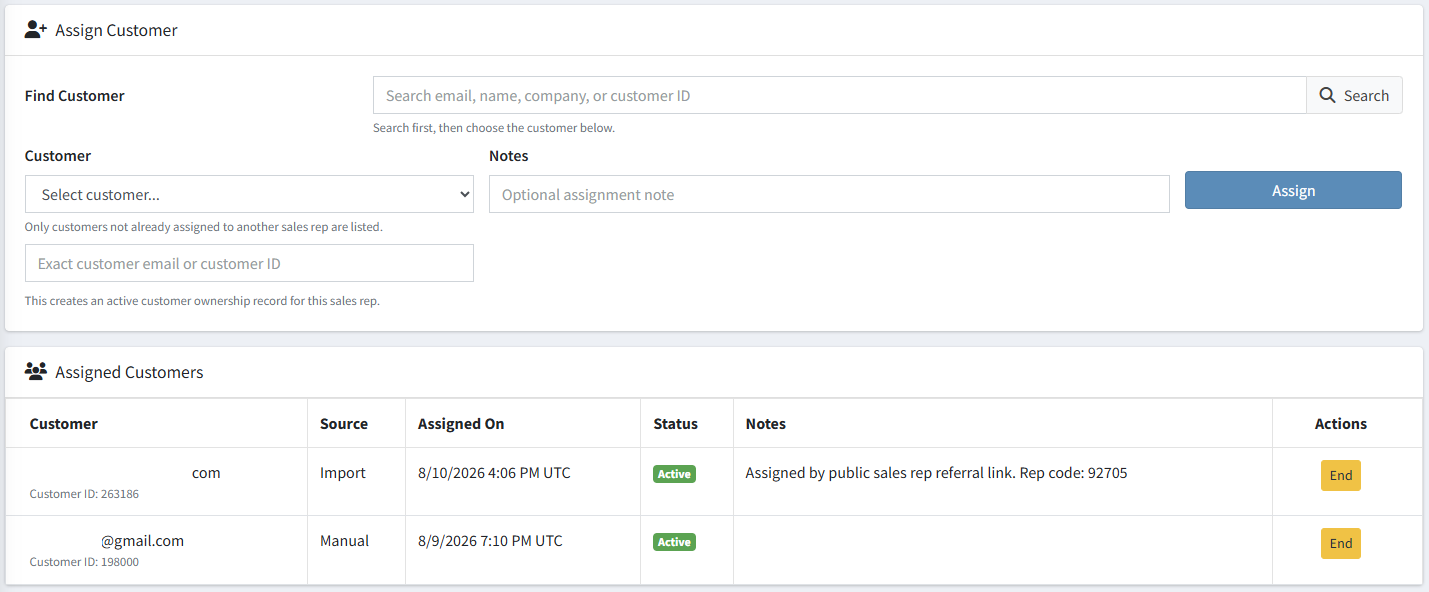
  • Create and edit sales rep profiles
  • Upload optional sales rep profile photos
  • Assign and end customer assignments
  • View sales rep details from the admin customer page
  • Use diagnostics and repair tools after upgrades or copied deployments
Admin sales rep profile edit page with profile photo and commission settings

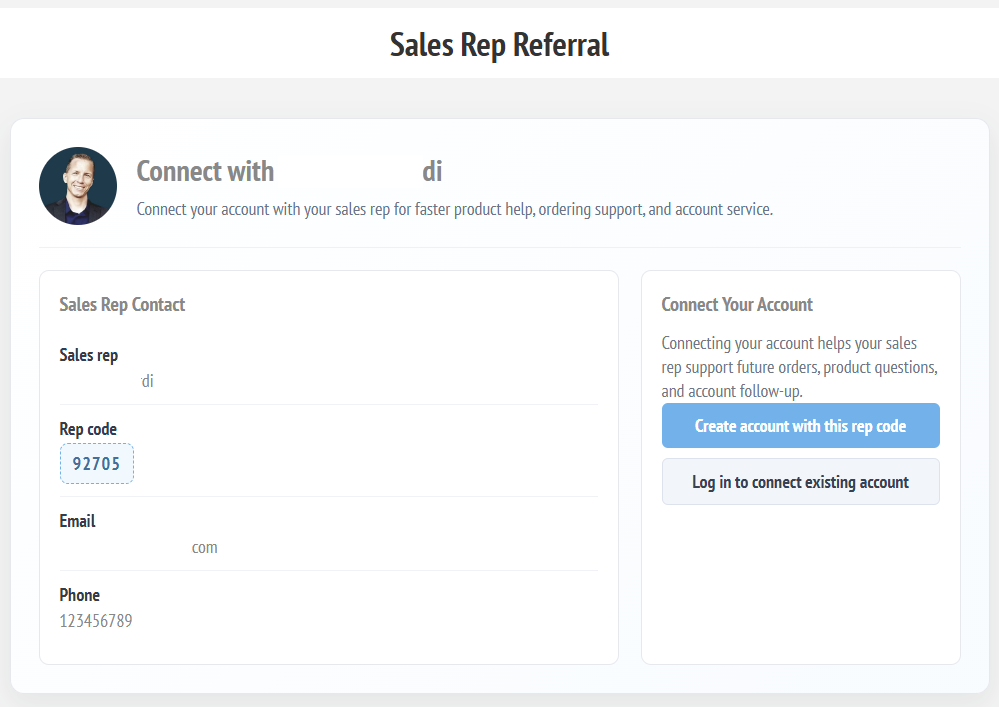
Referral Links and Rep Codes

Let reps share a professional connection page.

Each active sales rep can have a branded landing page with rep details, a rep code, login and registration actions, and customer self-assignment logic.
Commission Tracking and Payout Batches

Turn attributed orders into reviewable commission and payout records.

The plugin can create commission records when assigned customers order. Admins can approve, recalculate, export, adjust, group into payout batches, and lock paid records.
  • Automatic order attribution from assigned customers
  • Pending, approved, paid, and void status workflow
  • Manual positive or negative adjustments
  • Payout batch creation and payout history
  • Paid commission locking to protect accounting records
Sales rep commission history and commission status page
Read-only sales rep product lookup page

Controlled Sales Rep Portal

Give reps useful visibility without giving admin access.

Sales reps can access a customer-side portal from My Account. Store owners can decide what reps can view, including product lookup, assigned customers, commission history, payout history, and whether product cost is hidden.

  • Sales rep dashboard inside My Account
  • Read-only product lookup
  • Assigned customer snapshot
  • Commission and payout history
  • Optional product cost visibility control

Sales Rep Portal Pages

Show the key rep tools with clear customer-account navigation.

The storefront portal keeps sales reps in My Account while giving them quick access to assigned customers, product lookup, commission history, and payout history.
Reports, Diagnostics, and Audit Trail

Keep the workflow visible, searchable, and supportable.

Administrators can review performance reports, payout batch history, diagnostics, activity logs, and CSV exports. This helps support operations, accounting, upgrades, and troubleshooting.
  • Sales rep performance reports
  • Activity log and audit trail
  • Diagnostics and repair setup tools
  • Commission and payout CSV exports
  • Setup health checks for roles, store IDs, settings, and licensing
Sales Reps diagnostics and setup health page

Ready to manage sales reps inside nopCommerce?

Add customer assignment, commission tracking, rep-code registration, controlled sales rep portal access, payout reporting, diagnostics, and activity history to your nopCommerce store.

Product tags